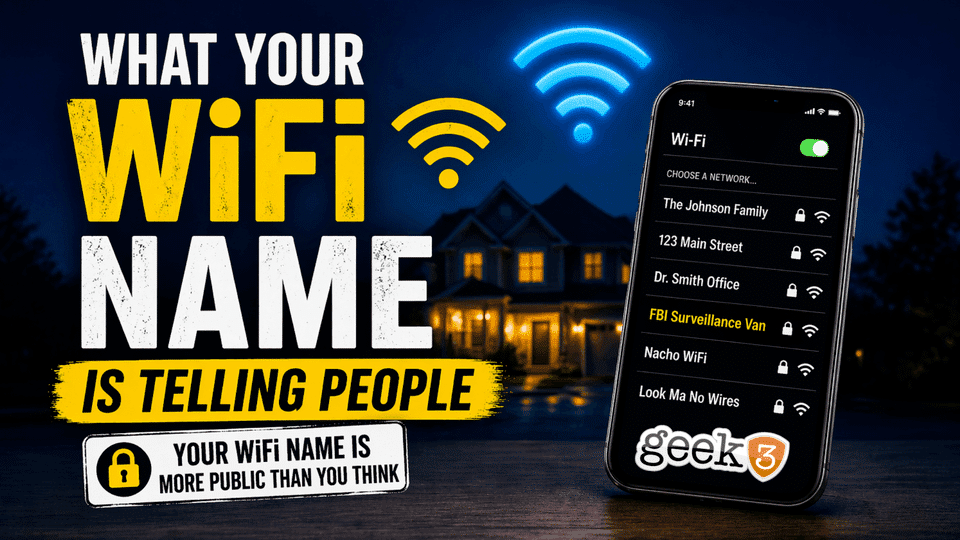

Take a look at the WiFi networks around you right now.
Seriously. Open your phone or laptop and scan what’s nearby.
You’ll probably see things like:
- “The Johnson Family”
“123 Main Street”
“Dr. Smith Office”
At first glance, it all feels normal.
Harmless, even.
After all, most people have learned the basics by now. Their WiFi is password protected. They’re not using an open network. They’re not running around with “linksys” and no security like it’s 2006.
WiFi, in general, is more secure than it’s ever been.
But there’s one small detail that almost nobody thinks about.
And it’s sitting right there… broadcasting 24/7.
Your WiFi name.
The Part Nobody Thinks About
Your WiFi network name, also called your SSID, is completely public.
Anyone within range of your home or office can see it.
They don’t need your password.
They don’t need special tools.
They don’t need to “hack” anything.
They just open the list of available networks… and there it is.
Which means if your WiFi name includes:
- Your last name
- Your business name
- Your home address
- Your suite number
- Your phone number
…you’re giving away information before anyone even tries to connect.
Now, let’s be clear about something.
This doesn’t mean someone is going to park outside your house and instantly hack you because your WiFi says “The Davis House.”
That’s not how this works.
But security isn’t just about stopping a full-blown attack.
It’s about not making things easier than they need to be.
And right now, a lot of people are unintentionally making it easier.
You’re Removing Your First Layer of Protection
There’s a concept in security that doesn’t get talked about enough:
Anonymity is protection.
The less a random person knows about you, the harder it is to target you.
The moment your WiFi name identifies who you are or where you are, you lose that layer.
Now instead of:
“Some random network in the area…”
It becomes:
“That house belongs to the Johnsons.”
“That office belongs to Dr. Smith.”
“That’s the business at 123 Main Street.”
You’ve taken something that could have been anonymous… and made it specific.
And specificity is useful.
Not just to hackers, but to anyone trying to build context.
Why This Actually Matters (Without the Fear Tactics)
Let’s keep this grounded in reality.
This isn’t about someone brute-forcing your WiFi password from the street.
Modern WiFi security, when set up properly, is strong.
This is about something much simpler.
Context.
When someone has just a little bit of information, it makes other things easier.
Example 1: More Convincing Phishing
Let’s say someone already has your email address.
If your WiFi name is “Davis Accounting,” it’s now easier to craft a believable message:
“Hey, we noticed an issue with your Davis Accounting network…”
It sounds small, but details like that are what make scams feel real.
People don’t fall for scams because they’re careless.
They fall for them because something looks familiar enough to trust.
Example 2: Confirming a Target
If someone is trying to locate a specific business or person, your WiFi name can confirm they’re in the right place.
No guessing.
No second-guessing.
They see the network name, and now they know.
Example 3: Social Engineering (The Real Risk)
Most real-world breaches don’t start with advanced hacking.
They start with conversation.
A phone call.
A quick visit.
A “Hey, I’m here about your network issue.”
When someone already has context about who you are, where you are, or what you do, those conversations become easier to pull off.
Again, this isn’t about panic.
It’s about recognizing that small details add up.
Think of It Like Your Front Door
Locking your front door is important.
Everyone agrees on that.
But imagine this:
You lock your door… and then put a big sign on it that says:
“The Johnson Family”
“Call us at 555-1234”
“We’re usually home after 6pm”
That would feel a little unnecessary, right?
That’s essentially what’s happening when your WiFi name gives away personal details.
The security (your password) might be solid.
But you’re still advertising information you don’t need to.
The Funny Part (Because This Gets Ridiculous Fast)
If you’ve ever looked at a list of nearby WiFi networks, you already know people get creative.
And honestly, this is where things get fun.
Some of the best network names out there:
- FBI Surveillance Van
- Pretty Fly for a WiFi
- Nacho WiFi
- Look Ma No Wires
- Tell My WiFi Love Her
- LAN Solo
- It Hurts When IP
Are these secure?
Technically… they’re no less secure than anything else.
But here’s the difference:
They don’t tell anyone anything useful.
If anything, they do the opposite.
They create noise.
They make it harder to take anything seriously.
And sometimes, they even discourage attention altogether.
If someone sees “FBI Surveillance Van” in a neighborhood…
They’re probably not breaking into that network.
They’re laughing.
So What Should You Name Your WiFi?
This part is simple.
Your WiFi name should mean something to you…
…and nothing to anyone else.
Good options:
- Your pet’s name
- A favorite vacation spot
- A random word or phrase
- An inside joke
- Something funny
The goal isn’t to be clever.
The goal is to avoid being identifiable.
If someone sees your network name, they shouldn’t be able to answer:
- Who lives here?
- What business is this?
- Where exactly is this located?
If they can’t answer those questions, you’re doing it right.
What About Default Names?
While we’re here, let’s talk about the opposite problem.
Some people don’t customize their WiFi name at all.
They leave it as something like:
- NETGEAR123
- XfinityWiFi
- ATT-7G4K
- Linksys
That’s not great either.
Why?
Because default names can:
- Tell people what equipment you’re using
- Suggest the network hasn’t been customized
- Make it easier to guess other default settings
It’s not the end of the world.
But it’s also not ideal.
Quick Reality Check
Let’s pause for a second.
Changing your WiFi name is not going to magically secure your network.
This isn’t some hidden “fix everything” trick.
It’s one small piece of a much bigger picture.
But that’s exactly why it matters.
Because most security issues don’t come from one big mistake.
They come from a bunch of small, overlooked ones.
Things that feel harmless on their own…
…but add up over time.
A Few Quick Wins While You’re At It
If you’re already logging into your router to change the name, take 2 extra minutes and check these:
- Make sure you’re using WPA2 or WPA3 security
- Use a strong, unique WiFi password
- Don’t reuse that password anywhere else
- Disable guest networks you don’t need
- Make sure firmware is reasonably up to date
That’s it.
No deep dive required.
The Bigger Picture
This whole conversation isn’t really about WiFi names.
It’s about awareness.
It’s about understanding that security isn’t just:
- Firewalls
- Antivirus
- Updates
It’s also behavior.
It’s the small decisions that don’t feel like security decisions at all.
Like what you name your network.
Or what you click.
Or what information you casually share.
Most people think security failures are dramatic.
They’re not.
They’re usually quiet.
Subtle.
And completely avoidable in hindsight.
Bringing It Back to You
If your WiFi name currently includes:
- Your last name
- Your business name
- Your address
You don’t need to panic.
You just need to change it.
Pick something simple.
Something neutral.
Something that doesn’t give anything away.
Done.
Final Thought
You don’t need to be invisible.
You just don’t need to be obvious.
Because the easier you make it for someone to figure things out…
…the easier you make it for the wrong person to use that information.
And if you’re not sure what your setup is exposing, or you just want a second set of eyes on it, that’s exactly the kind of thing we help with every day.
No scare tactics.
No overcomplication.
Just fixing the small things before they turn into bigger ones.
