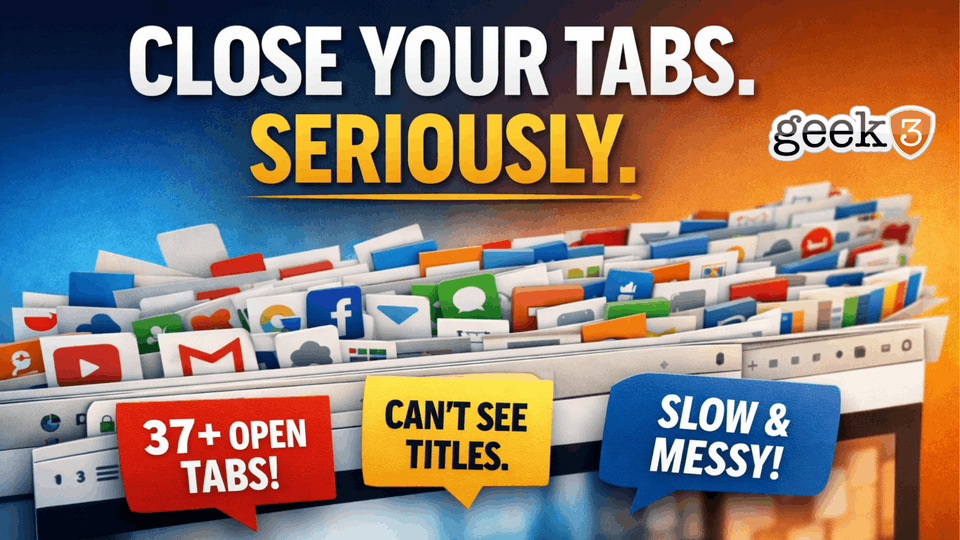

Let me ask you a question.
How many tabs do you have open right now?
Not a guess. Not “a handful.”
Actually.
If your browser looks like a row of tiny icons with no titles… you already know the answer.
And if you’re anything like most people I work with, it’s not five. It’s not ten.
It’s somewhere between “a lot” and “I don’t want to count.”
The Way People Use Tabs Now
There was a time when tabs were simple.
You opened one to look something up.
You finished.
You closed it.
That’s it.
Today?
Tabs have turned into something else entirely.
They’re not just pages anymore. They’re a system.
People use tabs as:
- A to-do list
- A reminder system
- A “don’t forget this” pile
- A holding area for things they might need later
- A place to park thoughts they don’t want to deal with yet
And on the surface… it kind of works.
You open something. You leave it there. It’s visible. It feels like you haven’t lost it.
But that’s exactly the problem.
You’re Not Going Back to Those Tabs
Let’s be honest for a second.
You’re not going back to most of those tabs.
You might go back to a few. The ones you actively need right now. The email you’re responding to. The document you’re editing. The page you just opened.
But the rest?
They’ve been sitting there for days.
Some for weeks.
Some have been open so long that if you finally clicked them, you’d have to re-read the entire thing just to remember why you opened it in the first place.
And yet… you keep them.
Not because they’re useful.
Because you might need them.
The Fear of Closing Tabs
This is where it gets interesting.
People don’t keep tabs open because they’re efficient.
They keep them open because they’re afraid.
Afraid of losing something important.
Afraid of forgetting something.
Afraid of not being able to find it again.
So instead of making a decision, they postpone it.
They leave the tab open.
“I’ll come back to that.”
The Problem With “I’ll Come Back to That”
“I’ll come back to that” is one of the most expensive habits in modern work.
Not expensive in money.
Expensive in attention.
Every open tab is an unfinished decision.
Something you didn’t deal with.
Something you didn’t commit to.
Something you didn’t close out.
And your brain knows it.
Even if you’re not actively looking at those tabs, they’re still there. Sitting at the top of your screen. Quietly reminding you that there are things you haven’t handled yet.
It’s background noise.
And like any kind of noise, the more of it there is, the harder it is to focus.
The Illusion of Productivity
Here’s where it gets sneaky.
Having a lot of tabs open feels productive.
It looks like you’re in the middle of a lot of things.
It feels like you’re “on top of everything.”
But you’re not.
You’re spread across everything.
There’s a difference.
When you have 30 tabs open, you’re not focused. You’re fragmented.
Your attention is divided before you even start working.
You bounce from one thing to another. You lose your place. You forget what you were doing. You re-read things. You hesitate.
And at the end of the day, it feels like you were busy… but not effective.
Tabs as Mental Clutter
Think about your physical workspace for a second.
If your desk had 30 sticky notes on it, each with a different task, idea, or reminder, you wouldn’t call that organized.
You’d call it clutter.
Your browser tabs are no different.
They’re just digital clutter.
And because they’re digital, they’re easier to ignore… but they still have the same effect.
They make it harder to focus.
They make it harder to prioritize.
They make everything feel a little more chaotic than it needs to be.
“But I Actually Use My Tabs”
This is the part where people push back.
“I actually use my tabs.”
And sure, some of them, you do.
But all of them?
No.
You’re not actively working across 27 different things at the same time.
You’re switching between them.
And switching has a cost.
Every time you jump from one tab to another, your brain has to reload context.
“What was I doing here?”
“Where did I leave off?”
“What was the point of this page?”
That tiny delay doesn’t feel like much.
But multiply it by dozens of times per day, and it adds up fast.
The Hidden Cost No One Talks About
There’s another layer to this that most people never think about.
Tabs don’t just sit there.
They do things.
They refresh.
They run scripts.
They load content.
They track activity.
They sync data.
All in the background.
All day.
You don’t see it happening, but your computer does.
If you read my previous post about why your computer fan suddenly sounds like it’s about to take off, this is one of the biggest contributors.
Modern websites are not static pages. They’re mini applications. And when you have dozens of them open, your computer is juggling a surprising amount of work.
But again, this isn’t even the main issue.
The bigger issue is what it’s doing to you.
Decision Fatigue in Disguise
Every open tab represents a decision you didn’t make.
Do I need this?
Am I done with this?
Should I save this somewhere?
Is this important?
Instead of answering those questions, you defer them.
And deferred decisions don’t disappear.
They pile up.
By the time you sit down to actually focus, your environment is already full of unresolved decisions. Your brain has to filter through all of that before it can even get to the task in front of you.
That’s exhausting.
Even if you don’t realize why.
A Better Way to Think About Tabs
Tabs are not storage.
They are not a filing system.
They are not a task manager.
They are not a memory tool.
They are temporary.
That’s it.
They exist for what you’re doing right now.
Not what you might do later.
The Simple Shift
You don’t need a complicated system to fix this.
You just need a rule.
If it matters, save it properly.
If it’s a task, put it in a real task list.
If you’re done with it, close it.
That’s it.
No fancy tools. No new software. No workflow overhaul.
Just better decisions in the moment.
What Happens When You Close Tabs
When people actually try this, something interesting happens.
At first, it feels uncomfortable.
Like you’re losing something.
Like you’re closing doors you might need later.
But after a few minutes?
Everything feels lighter.
Cleaner.
Clearer.
You know what you’re working on.
You’re not distracted by everything else you could be working on.
And your brain finally gets a break from holding onto all that unfinished stuff.
The Reality Check
You don’t need 37 tabs open to be productive.
You need clarity.
You need focus.
You need fewer things competing for your attention.
Try This Right Now
Close five tabs.
Not the important ones.
The ones you’ve been ignoring.
The ones you forgot about.
The ones you opened “just in case.”
Close them.
You won’t miss them.
The Bigger Picture
This isn’t really about tabs.
It’s about how we’ve quietly let our tools shape the way we work.
We’ve accepted a level of digital clutter that we would never tolerate in the physical world.
We’ve normalized being scattered.
We’ve gotten used to feeling busy instead of being focused.
And it shows.
Final Thought
Your browser should reflect what you’re doing.
Not everything you might do.
Close your tabs.
Seriously.
And If This Sounds Familiar…
If your computer constantly feels slow, cluttered, or harder to use than it should be, there’s usually a reason.
It’s not always one big problem.
More often, it’s a collection of small habits and inefficiencies that build up over time.
That’s the kind of thing we help businesses clean up every day. Not just fixing what’s broken, but simplifying the way everything works so it actually supports you instead of getting in your way.
If that sounds like your setup, I’m always happy to take a look.
