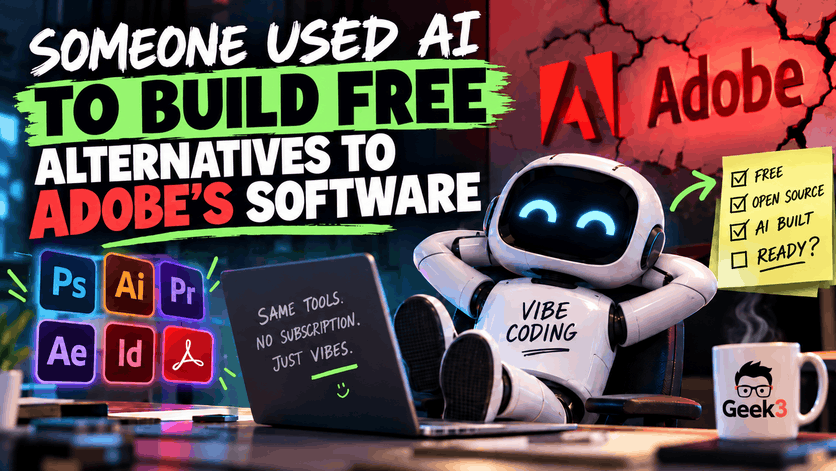

I love a good underdog story. Especially when someone gets so frustrated with a giant software company that they decide to take matters into their own hands. And when that company happens to be one that has frustrated customers with subscription fees, complicated cancellations, and expensive software licenses, well, you can probably guess how people are reacting.
Apparently, a software developer named Brandon Thomas got so fed up with Adobe’s subscription cancellation fees that he decided to do something rather ambitious. Instead of finding a different photo editor or complaining about Adobe online, he used artificial intelligence to help build his own alternatives to Photoshop, Illustrator, Premiere Pro, and four other popular Adobe applications.
And here’s what makes this particularly interesting. He’s giving the applications away for free. No Adobe subscription required, no early cancellation fees, and the software is open source, meaning other developers can inspect the code, make improvements, and potentially help maintain the project.
I have to admit, I love the idea. I’ve never been particularly fond of software companies making it difficult for customers to leave, and I think competition is generally a wonderful thing. If a handful of developers can challenge a software company worth billions of dollars, I’m absolutely interested in seeing how that plays out.
But what’s even more fascinating is HOW this software was created. Because we’re entering a new era where artificial intelligence is dramatically changing who can create software, how quickly they can create it, and potentially how much businesses will have to pay for it.
There’s just one little problem. Well, several actually. And they’re worth talking about before everyone starts downloading these applications onto their office computers.
Welcome to the Wonderful World of Vibe Coding
If you haven’t heard the term yet, there’s something relatively new floating around the technology world called “vibe coding.” It sounds like something a programmer would do while listening to music in a dark room surrounded by empty energy drink cans, but it’s actually becoming a pretty big deal.
Traditionally, building computer software requires someone who understands programming languages, software architecture, databases, security, and all the other complicated things happening behind the scenes. A programmer has an idea, writes code to accomplish it, tests the results, fixes the inevitable problems, and repeats that process until the software is ready. Depending on the complexity of the project, that can take months or years and involve entire teams of developers.
Vibe coding changes how much of that initial programming work a person needs to do themselves. Instead of manually writing every line of code, someone can describe what they want to an AI system and have it generate much of the programming. They can ask for changes, describe additional features, report things that aren’t working properly, and have the AI continue developing the application.
Imagine hiring a contractor to build your dream house. You explain what you want, provide some examples, and the contractor starts building at an unbelievable speed. You ask for an extra bedroom, and suddenly there’s another bedroom. You decide the kitchen needs to be bigger, and moments later the kitchen is twice its original size.
Except your contractor is a robot, and every once in a while you discover it installed the toilet in the kitchen.
That’s an oversimplification, of course, but it illustrates both the excitement and the potential headaches surrounding this technology. AI can produce remarkable results, but it doesn’t necessarily understand every consequence of the decisions it’s making. That’s where having someone knowledgeable involved becomes extremely important.
And to be clear, not everyone using AI to write code is an inexperienced person blindly typing instructions into a chatbot. Experienced software engineers are using these tools to accelerate projects, automate repetitive work, and accomplish things that previously required significantly more resources. There’s a big difference between using AI as a development assistant and trusting everything it generates without understanding what you’re building.
Thomas, the developer behind these Adobe alternatives, reportedly has around 15 years of software development experience. He used Anthropic’s Claude AI to help create the applications, which are part of a project called ArtCraft.
And he didn’t stop with Adobe. The project has since expanded into alternatives to Microsoft Word, Excel, and PowerPoint, with applications called WordCraft, GridCraft, and DeckCraft.
Think about that for a moment. We’re talking about software designed to compete with products that have been developed, refined, and sold by enormous technology companies for decades. Suddenly, smaller development teams have tools that could make challenging those products much more realistic.
That’s pretty incredible, even if the results aren’t perfect yet.
Adobe May Have Given Him the Perfect Motivation
Before we get too far into the technical side, it’s worth understanding why someone would even attempt something like this.
Adobe makes some genuinely impressive software. Photoshop, Premiere Pro, Illustrator, and After Effects are powerful applications used by professionals around the world. There’s a reason photographers, graphic designers, marketing departments, and video production companies continue paying for them.
But having excellent software doesn’t necessarily mean customers appreciate the way it’s sold.
For years, Adobe has increasingly relied on subscription-based licensing. Instead of purchasing a program and continuing to use that version indefinitely, customers pay recurring fees to maintain access. There are certainly benefits to this approach, including updates and new features, but it also means that stopping your subscription can mean losing access to tools you’ve depended on for years.
And then there are the cancellation fees.
In 2024, the United States government sued Adobe over allegations involving how the company disclosed early termination fees and how difficult it made canceling certain subscriptions. The government alleged that customers could be charged substantial fees for canceling annual plans early and that important details weren’t always clearly presented.
In March 2026, Adobe agreed to resolve the case through a settlement involving $75 million in civil penalties and another $75 million in free services for customers. The agreement also included requirements for clearer disclosures and easier cancellation procedures. Adobe denied wrongdoing.
Now, I’m not here to argue that every software company should give away its products or that developers shouldn’t be paid for their work. Good software takes considerable effort to create and maintain, and the people responsible deserve to make a living.
But I can certainly understand customers becoming frustrated when they feel trapped inside a subscription. And I suspect plenty of small business owners reading this have experienced something similar with other software vendors.
Perhaps you’ve subscribed to something that seemed reasonably priced at first, only to discover the price keeps increasing. Or maybe you purchased software for one specific feature, but now you’re paying for an enormous collection of features you’ll never use. Better yet, perhaps you’ve tried canceling something and discovered that ending the relationship is considerably more complicated than starting it.
It’s not exactly surprising that people are beginning to wonder whether they can build their own alternatives.
And apparently, some businesses already have.
One Company Used AI to Replace Salesforce
Here’s where the story gets particularly interesting, because not every vibe coding project is an experimental replacement for Photoshop. Some businesses are already using AI-assisted development to replace expensive software they depend on every day.
One example comes from Curative, a health insurance company whose CEO, Fred Turner, revealed earlier this year that the company had replaced its Salesforce customer relationship management system with software developed internally using AI.
If you’re unfamiliar with Salesforce, it’s one of the biggest names in business software. Companies use it to manage customer relationships, sales activities, business processes, and mountains of information. It’s powerful, customizable, and widely used, but depending on the size of the organization and its requirements, the costs can become substantial.
According to Turner, Curative was paying approximately $600,000 annually for its Salesforce contract. Rather than continuing to pay for that system, the company’s team developed its own replacement in approximately two months with the assistance of AI.
Two months.
And they eliminated a $600,000 annual software contract.
Now that’s the kind of story that makes a business owner sit up a little straighter.
Turner discussed the decision during an interview on the 20VC with Harry Stebbings podcast, where he described how his company was increasingly using AI to replace outside software services and handle business processes internally.
According to Turner, Curative was looking at cutting a substantial portion of its overall software subscription spending. The idea wasn’t necessarily to create perfect copies of every application the company used. It was to develop systems that accomplished what the business actually needed without continuing to pay for functionality it might not require.
And THAT is where I think AI-assisted programming becomes particularly valuable.
Imagine you’re running a small business that uses five different software subscriptions to manage customers, schedule appointments, prepare invoices, track inventory, and generate reports. Each program has its own interface, monthly fee, limitations, and occasionally frustrating way of doing things.
Now imagine being able to develop one application that handles the exact tasks your business performs every day. Instead of adjusting your business processes to accommodate the software, you’re designing the software around the way your business already operates.
There could be tremendous value in that.
Of course, the Curative story deserves a little perspective. Eliminating a $600,000 contract doesn’t automatically mean the company is saving $600,000 in total costs. Developing software requires resources, and maintaining it requires ongoing attention. Turner himself acknowledged that maintenance remains challenging, and Curative’s spending on AI technology has increased considerably.
That’s an important distinction, especially when we’re talking about a company with the technical resources to build and operate its own systems.
Still, the potential is enormous. Even if a business doesn’t replace an entire customer management system, imagine using AI to develop a small utility that saves employees several hours of repetitive work every week. Or an internal application that connects two existing systems that never communicated properly.
You don’t necessarily need to recreate Microsoft Office to make vibe coding worthwhile. Sometimes solving one annoying business problem is valuable enough.
And in my opinion, that’s a much more interesting use of the technology than simply recreating something that already exists.
Just Because It Looks Like Photoshop Doesn’t Mean It Works Like Photoshop
Unfortunately, the excitement surrounding ArtCraft comes with a rather significant reality check.
People who have downloaded and tested the Adobe alternatives are reporting some substantial problems. The applications may resemble their commercial counterparts, but resembling something and successfully replacing it are two very different achievements.
One person who tested the Premiere Pro alternative reported problems performing basic video editing tasks. They encountered broken controls, difficulties adjusting project settings, and unexpected behavior when deleting clips from a timeline.
Another person testing the Photoshop alternative discovered that they couldn’t arrange the workspace the way they normally would. Features and interface controls that professional users rely on were missing or didn’t behave as expected.
A separate hands-on review published by TechRadar found problems handling certain image formats, difficulty working with selections, and significant limitations with video editing and audio playback.
Those aren’t exactly minor inconveniences if you’re trying to complete work for a paying customer.
Imagine hiring a professional photographer to photograph an important event. They spend the entire day capturing pictures, return to the office, and begin processing the images using a new AI-built photo editor.
Everything looks fine until they discover the application can’t properly handle some of the image files, doesn’t save changes as expected, or introduces strange artifacts when adjusting the photographs.
Now imagine explaining that situation to the customer.
To be fair, ArtCraft’s applications are still in early development. Every major application started somewhere, and it would be unreasonable to expect software created in a relatively short period to immediately match decades of development by large professional teams.
But that raises an important question.
When does software stop being an impressive experiment and start becoming something people can actually depend on?
Developing an attractive interface is one accomplishment. Getting every button to perform the correct function is another. Ensuring the application works reliably across different computers, file formats, operating systems, and unexpected situations is an entirely different challenge.
And then there’s the part that rarely makes exciting headlines: maintenance.
Software doesn’t simply get created and live happily ever after. Operating systems change, security vulnerabilities are discovered, file formats evolve, hardware gets replaced, and users discover problems that nobody anticipated during development.
Anyone who has worked around business computers long enough knows that even enormous software companies struggle with these challenges. Microsoft, Adobe, and countless other established developers release updates that occasionally introduce new problems while fixing old ones.
Now imagine trying to manage that process for an entire collection of applications built primarily with AI assistance.
It doesn’t mean the project is doomed. Having open-source code and an active development community could eventually help it improve considerably. But someone still needs to understand the software, review changes, troubleshoot failures, and keep everything functioning.
One of my favorite observations from the online discussion was that people seemed to be confusing a working prototype with a finished product.
And I think that’s a fair criticism.
It’s a little like building the Millennium Falcon in your garage. It looks amazing, the cockpit lights up, and you can probably get the engines running. But before we start advertising passenger flights to Tatooine, maybe we should make sure the hyperdrive actually works.
Or at least that the landing gear deploys.
Now Let’s Talk About the Security Side
This is where my enthusiasm meets my cybersecurity brain, because there’s something about rapidly generated software that I think businesses need to approach carefully.
What happens when employees start discovering these applications and installing them onto computers connected to company networks?
And more importantly, what happens when they’re not downloading a well-known open-source project, but something an unknown developer created over a weekend using AI?
I’m not suggesting that ArtCraft contains malware or that its developer has malicious intentions. I haven’t seen evidence establishing either of those things. In fact, I hope the project continues improving and eventually becomes a serious competitor.
But software doesn’t have to be intentionally malicious to introduce security risks.
Poorly written code can contain vulnerabilities that attackers exploit. An application might handle passwords or sensitive information improperly. It could request more permissions than it needs, rely on vulnerable software components, or communicate with external services without users fully understanding what’s happening.
Those problems aren’t exclusive to AI-generated applications. Experienced programmers make mistakes, too, and commercially developed software can certainly contain vulnerabilities.
The concern is that AI makes it easier to generate and distribute large amounts of software, sometimes much faster than someone can thoroughly inspect and test everything it produces.
And here’s something else worth mentioning. Just because an application is open source doesn’t automatically mean it’s secure.
Open source means the code can be inspected by others. That’s a tremendous advantage for transparency, but it doesn’t guarantee that a qualified security professional has actually examined it. A project could have thousands of people downloading it while very few understand everything happening behind the scenes.
There’s also the question of where the software comes from. Even a legitimate project can be impersonated by someone distributing a modified installer containing malware. Employees searching for free alternatives to expensive programs can encounter fake websites, misleading download links, and applications that aren’t what they claim to be.
Now consider a typical small business.
Someone in accounting discovers an AI-built replacement for QuickBooks. The website looks professional, the screenshots are impressive, and the application is completely free. The employee figures they’re doing the company a favor by saving a subscription fee.
So they download it, install it, and begin entering customer names, invoices, payment details, and other financial information.
But nobody checked how the application stores that information. Nobody reviewed whether it sends information to an outside server. Nobody verified the developer, examined its update process, or considered what might happen if the project suddenly stops being maintained.
The application might be perfectly harmless. It might even work beautifully.
But without those answers, the business is taking an unnecessary gamble with information it has a responsibility to protect.
And those risks become more significant as AI software begins connecting directly to other business systems. A simple desktop utility that reorganizes pictures is very different from an AI-built application that can access customer databases, email accounts, shared files, or financial systems.
The more access an application receives, the more damage it could potentially cause if something goes wrong.
This is why I keep coming back to a principle I’ve believed in for years: businesses shouldn’t assume that every program an employee wants to install deserves access to company computers.
And that brings me to something we work with regularly at Geek3.
Why Antivirus Alone Isn’t Enough Anymore
For years, people have largely associated computer security with antivirus software. Install an antivirus program, keep it updated, and hope it catches anything suspicious.
Modern cybersecurity has become considerably more complicated than that.
Traditional antivirus and modern endpoint protection products still play important roles, but there are other layers of protection businesses should consider. One of the more useful approaches involves controlling which applications are allowed to run and what those applications can access.
This is commonly called application allowlisting and, when more detailed restrictions are involved, application ringfencing.
Here’s a relatively simple way to think about it.
Imagine you operate a business where every employee has access to the front door. You trust your employees, but that doesn’t mean every employee should automatically have keys to the accounting department, server room, storage areas, and every other secured location in the building.
Computer applications shouldn’t necessarily receive unrestricted access to everything either.
With properly configured application controls, businesses can prevent unauthorized software from running in the first place. Instead of waiting for a malicious application to behave suspiciously, the system can stop programs that haven’t been approved.
Ringfencing takes that concept further by restricting what certain approved applications are allowed to do. Depending on the software and the policies configured, those restrictions can limit access to particular files, network resources, or other programs.
For example, a PDF reader probably doesn’t need permission to launch administrative command tools or interact with sensitive business systems. An ordinary utility designed to resize images shouldn’t automatically have unrestricted access to an accounting database.
These controls aren’t a magic force field, and they’re certainly not a replacement for updates, backups, monitoring, or good security practices. But they can add another meaningful layer between an application behaving unexpectedly and the rest of your business.
And that’s particularly relevant as the number of AI-generated applications continues growing.
Instead of trying to determine whether every new piece of software on the internet is safe, businesses can establish rules about what software belongs on their computers and what it should be permitted to do.
That doesn’t mean employees can’t experiment with new tools. It means those tools should be evaluated before they’re given access to important business systems.
In many cases, a new application can be tested on an isolated computer or virtual machine without exposing sensitive company information. If it proves useful, someone can review its security, compatibility, support, and long-term maintenance before deciding whether it belongs in everyday operations.
That’s a much better approach than allowing an employee to turn their accounting workstation into a software testing laboratory.
After all, the goal isn’t to stop people from discovering useful technology. It’s to make sure that discovering something useful doesn’t accidentally create a problem for everyone else.
I Actually Hope Vibe Coding Changes the Software Industry
Despite everything I’ve mentioned, I want to be very clear about something.
I’m rooting for this technology.
I genuinely think AI-assisted software development could become one of the most significant technological changes we’ve seen in a long time. Giving more people the ability to create useful tools could lead to tremendous innovation, especially among smaller businesses and independent developers who previously couldn’t afford traditional software development.
Imagine a small manufacturer building a custom inventory tool that matches its exact production process. Or a medical office creating a specialized scheduling utility that eliminates hours of repetitive administrative work. Or a contractor developing an application that automatically prepares estimates based on information collected in the field.
These are the kinds of practical improvements that could make businesses more efficient without requiring them to spend a fortune on complicated systems.
And unlike the ArtCraft project, which is attempting to compete with some of the most established software products in the world, these smaller applications don’t necessarily need to perform hundreds of different tasks.
They just need to perform the tasks they were designed to do, and perform them reliably.
Of course, even a small application needs appropriate testing and oversight. If it handles sensitive information or performs an important business function, someone needs to be responsible for maintaining and securing it.
That’s also something worth remembering about the Curative story. Having software tailored specifically to a business can be incredibly valuable, but Curative didn’t eliminate the need for technical expertise simply by having AI assist with development.
The company still needs people who understand its systems, can respond when something breaks, and can make changes as its business evolves.
For a small business, the decision should be based on whether creating and maintaining a custom application actually makes financial and operational sense.
Sometimes the answer will be yes. Other times, paying for an established application with dependable support will be the smarter choice.
And sometimes the best answer is already available in an existing free or open-source product.
Applications such as GIMP, Krita, Photopea, DaVinci Resolve, and LibreOffice have demonstrated that alternatives to expensive commercial software can exist without someone needing to recreate everything from scratch. They aren’t perfect replacements for every professional workflow, but they’re examples of established options worth considering.
Ultimately, the goal shouldn’t be to use AI simply because it’s possible.
The goal should be to solve problems, improve productivity, reduce unnecessary expenses, and make technology work better for the people depending on it.
Just Because You Can Doesn’t Mean You Should
I think we’re going to see considerably more stories like ArtCraft over the coming years. AI development tools are improving rapidly, and people are discovering that software projects once considered impossibly complicated are becoming much more approachable.
Some of those projects will be fantastic. Some will become successful businesses. Others will remain interesting experiments that never quite work properly.
And a few will probably be spectacular disasters.
That’s how technology evolves, and I’m excited to see where it goes.
But if there’s one thing I hope business owners take away from all of this, it’s that the ability to create software doesn’t automatically make that software dependable or safe.
There’s a big difference between experimenting with a new application on your personal computer and trusting it with your company’s operations, customer information, and financial records.
Free software can be wonderful. AI-built software can be wonderful. And having more competition among software companies is something I certainly welcome.
But none of those things eliminate the need for common sense, proper testing, and good cybersecurity.
At Geek3, I help businesses keep their computers secure, maintained, monitored, and running properly. That includes multiple layers of cybersecurity protection, application controls, and software ringfencing designed to help prevent unauthorized programs from running and restrict what applications can access.
Because protecting a business isn’t just about stopping hackers from breaking into computers. Sometimes it’s about preventing a perfectly well-meaning employee from installing something that shouldn’t have been there in the first place.
And with AI making it easier than ever to create and distribute new applications, I suspect that distinction is only going to become more important.
If you’re curious about how well your business is protected against unauthorized software, questionable applications, or any of the other cybersecurity headaches that come with running a business, shoot me a message.
I’m always happy to talk.
