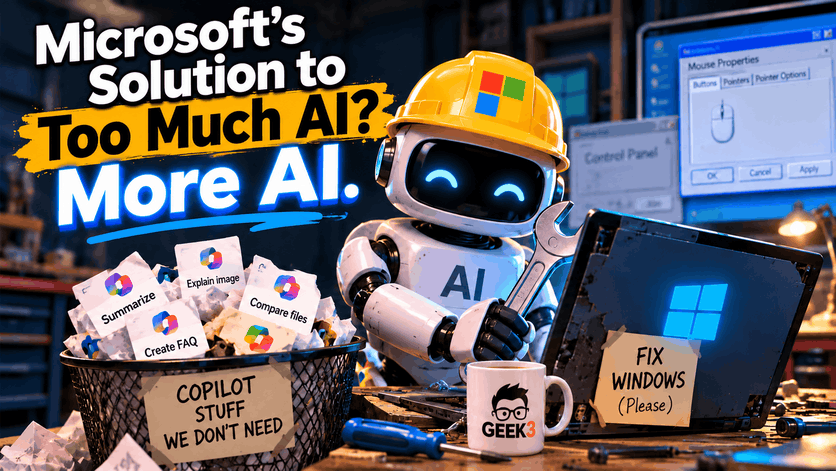

There’s something wonderfully ironic happening at Microsoft right now.
For the past couple of years, Microsoft has been on a mission to put artificial intelligence into practically everything it makes. Windows, Outlook, Word, Excel, Notepad, Photos, and just about anything else with a Microsoft logo has been getting some form of Copilot integration. Whether you wanted it or not, AI was coming along for the ride.
And people have been complaining. A lot.
Now Microsoft is beginning to remove some of those AI features from Windows 11. It’s cleaning up menus, reducing Copilot buttons, and generally making AI a little less visible.
But here’s the funny part. At almost the exact same time, Microsoft has confirmed that it’s increasingly using AI to help its own employees improve Windows.
Think about that for a moment.
Microsoft is using more AI behind the scenes to fix its software while removing AI features from the software people actually use.
At first glance, it sounds like trying to put out a fire with a flamethrower. But after looking into both developments, I actually think Microsoft might be onto something.
And if they get this right, it could be a valuable lesson for every business that’s been rushing to incorporate AI into everything.
How Microsoft Earned the Nickname “Microslop”
Before we get into Microsoft’s latest changes, I need to introduce you to a word that’s been making the rounds on the internet.
Microslop.
Yes, that’s a real nickname people have been using for Microsoft. It’s a combination of Microsoft and “AI slop,” a term generally used to describe low-quality, unnecessary, or mass-produced AI content.
The nickname became particularly popular as Microsoft continued expanding Copilot throughout Windows and its other products. People who simply wanted to use their computers were increasingly finding AI buttons, suggestions, and prompts appearing in places where they never asked for them.
And the frustration wasn’t necessarily because people hated artificial intelligence. Plenty of people find AI useful, myself included. The complaint was that Microsoft seemed determined to make AI part of every interaction, even when it didn’t solve a problem.
Imagine buying a new refrigerator that constantly asks whether you’d like AI assistance choosing which shelf to put your milk on. Sure, the technology might be impressive, but sometimes you just want to put the groceries away.
That’s roughly how some Windows users have been feeling.
The Microslop nickname eventually became such a nuisance that it created an interesting situation on Microsoft’s official Copilot Discord server earlier this year.
According to reporting from Windows Latest, users discovered that messages containing the word were being automatically blocked. People quickly started experimenting with creative variations of the nickname, and the situation escalated until portions of the server were restricted.
Microsoft later described the filtering as a temporary measure intended to address spam, rather than a permanent policy against the word itself. By September, Windows Latest reported that the nickname was no longer being blocked.
Regardless of the company’s intentions, the situation was practically begging to become an internet meme. If there’s one reliable way to encourage people on the internet to repeat something, it’s to tell them they can’t say it.
But behind the jokes was a legitimate complaint. Many customers felt Microsoft had become more interested in advertising its AI capabilities than improving the everyday Windows experience.
And apparently, Microsoft has been listening.
Microsoft Is Finally Taking Some of the AI Clutter Away
One of the more recent developments involves something most Windows users interact with constantly, even if they don’t know what it’s called.
The right-click menu.
That little menu appears whenever you right-click a file or folder. It’s where you find ordinary functions like Copy, Rename, Delete, and Properties. Nothing particularly exciting, but it’s an important part of how people use Windows.
Microsoft had begun adding several AI-powered options to that menu for files connected to OneDrive, its cloud storage service.
Depending on the file and available features, you could encounter Copilot actions that summarized documents, compared files, generated frequently asked questions, explained images, or extracted text.
Individually, some of those capabilities are actually useful. Being able to compare two lengthy documents without reading every line could save someone a considerable amount of time. Extracting text from an image can be incredibly convenient.
The problem comes when those options start competing for space with the ordinary things people are trying to accomplish.
It’s like going to a restaurant and discovering that the waiter wants to explain fifteen premium upgrades before he’ll bring you a glass of water.
According to Microsoft’s October 19 announcement to Microsoft 365 administrators, the company is retiring eight specific OneDrive-related Copilot actions from File Explorer’s context menu.
The list includes Summarize, Create FAQ, Compare Files, Ask a question, Explain image, Explain images, Compare images, and Extract text.
Microsoft expects the removal process to begin around the middle of November 2026 and finish by early December.
And the company’s explanation?
It’s simplifying how people use Copilot.
I suppose that’s one way to describe removing features you spent considerable effort introducing.
But there’s an important detail here. Microsoft isn’t actually removing all those AI capabilities. It’s removing some of the shortcuts that expose them.
People who use Copilot with OneDrive files will still have access to the central “Ask Copilot” option and other ways of reaching the functionality. The change primarily affects where these features appear.
Also, this doesn’t mean everyone’s Windows computer currently has eight extra Copilot buttons waiting to disappear. These particular options apply to supported OneDrive and Copilot experiences, so many users may never have encountered them.
Still, I consider this a positive development. Not because the underlying technology is bad, but because giving people access to a feature is different from constantly putting that feature in their way.
And File Explorer isn’t the only place Microsoft has been reconsidering its approach.
This Has Been Building for Months
Back in March 2026, Microsoft published a statement about improving Windows quality. The company acknowledged feedback concerning the overall Windows experience and promised to concentrate more heavily on performance, reliability, usability, and giving people greater control.
One of the commitments involved being more selective about Copilot integration.
Rather than continuing to introduce AI wherever it could fit, Microsoft said it wanted to focus on places where the technology provided meaningful value.
And unlike some corporate promises that quietly disappear after the press release, Microsoft has actually followed through on portions of this one.
In a subsequent May update, the company confirmed that it had removed the “Ask Copilot” button from Snipping Tool and Photos. Notepad also replaced its generic Copilot button with a more descriptive “Writing Tools” label.
It’s worth mentioning that renaming a feature doesn’t necessarily remove its AI functionality. In Notepad’s case, the change made the purpose of the feature clearer without abandoning the technology.
That’s an important distinction throughout this story. Microsoft isn’t announcing the death of Copilot. It’s changing how aggressively the product is presented to users.
And I think there’s an argument that this should have been the strategy from the beginning.
When someone opens a photo, there’s a pretty good chance they want to look at the photo. When someone launches Notepad, they’re probably interested in typing something. When they right-click a file, they’re usually trying to perform a relatively simple operation.
If AI can genuinely improve those tasks, wonderful. Make it available.
But treating every interaction as an opportunity to introduce another AI button isn’t necessarily an improvement.
Microsoft has spent decades creating software that people rely on for practically everything. There’s a certain amount of trust involved when businesses build their operations around Windows.
Constantly changing how familiar features work, especially to promote something users didn’t specifically request, can wear away that trust.
And that’s where the second half of this story becomes particularly interesting.
Because while Microsoft is becoming more selective about putting AI in front of its customers, it’s finding more ways to use AI behind the scenes.
Microsoft’s Newest AI Project? Fixing Windows Itself
In a recent exchange on X, formerly Twitter, Microsoft’s Vice President of Product Design, Diego Baca, discussed how artificial intelligence is helping the company’s designers work on Windows.
The conversation involved technology personality Chris Pirillo, who questioned why Microsoft wasn’t making faster progress improving Windows, especially considering the company’s access to advanced AI tools.
It’s a fair question.
Microsoft is one of the largest technology companies in the world, with tremendous resources and an enormous investment in artificial intelligence. If AI is supposed to make software development faster, why does Windows still have so many inconsistencies?
Baca responded that AI has already helped accelerate the design team’s work. He also confirmed that designers are now contributing directly to code fixes intended to improve the quality and consistency of Windows.
And he suggested the company is only beginning to explore those possibilities.
Now, before anyone imagines Microsoft handing the source code to an army of AI robots and going home for the weekend, that’s not what Baca confirmed.
He didn’t identify the exact tools being used, explain how much code AI is generating, or provide a list of Windows problems that AI has successfully repaired.
He also wasn’t claiming that AI has replaced Microsoft’s software engineers.
What he described was something more practical. AI is helping people who traditionally worked on the design side contribute to actual code improvements.
That could be a meaningful change in how software gets developed.
In traditional software development, a designer might identify an inconsistent button, an awkward layout, or a visual element that doesn’t behave correctly. That issue then has to make its way to an engineer who can implement the necessary changes.
Depending on priorities, complexity, and available staff, even a relatively minor improvement can involve quite a bit of coordination.
AI-assisted programming tools can potentially reduce some of that work. A designer who understands what needs to change may be able to develop or propose a code fix without waiting for an engineer to write every line from scratch.
The engineer still has an important job reviewing, testing, and integrating those changes, but the overall process could become faster.
And if there’s one product that could benefit from a little more consistency, it’s Windows.
Windows 11 Still Has One Foot in the 1990s
If you’ve spent any amount of time digging through Windows settings, you’ve probably noticed something peculiar.
Windows 11 looks reasonably modern. It has rounded corners, updated icons, a redesigned Settings application, and an interface that’s considerably different from Windows versions of the past.
Until you click the wrong button.
Suddenly, you’re staring at a dialog box that looks suspiciously similar to something you used when Bill Clinton was president.
One of my favorite examples involves mouse settings.
You can open the modern Windows 11 Settings application, navigate to the mouse configuration area, and then select additional mouse settings.
And what appears?
The old Mouse Properties dialog.
The same basic style of window that Windows users have been looking at for decades.
It almost feels like Microsoft renovated the entire house but forgot about the basement. Everything upstairs looks modern, but downstairs you still have wood paneling, shag carpeting, and a suspiciously large collection of floppy disks.
Now, there’s a technical reason some of these old components still exist.
Windows has an extraordinary responsibility when it comes to backward compatibility. Businesses depend on specialized applications, old hardware, custom integrations, and software that may have been developed many years ago.
A change that seems insignificant to someone using Windows at home could potentially cause major disruptions for a company with hundreds or thousands of computers.
Microsoft can’t simply tear out every older component and replace it with something shiny without considering what might break.
And as someone who supports business technology for a living, I certainly appreciate that.
I’ve encountered plenty of situations where an older piece of software or hardware continues to perform an important job. Sometimes keeping that technology working is more valuable than replacing it just because something newer exists.
But backward compatibility and interface consistency aren’t necessarily opposing goals.
There’s a difference between preserving the functionality that older programs depend on and making users navigate a patchwork of completely different interfaces.
Windows should ideally feel like one operating system, even when older technology is doing some of the work behind the scenes.
Microsoft has been modernizing portions of Windows, including updates to Search, the Run dialog, and other legacy interfaces. Some of this work is being tested through the Windows Insider program before reaching ordinary users.
That’s encouraging, although these modernization projects shouldn’t automatically be credited to AI. Microsoft hasn’t established which specific interface improvements resulted from AI-assisted coding.
Still, if AI helps the company work through years of accumulated inconsistencies more efficiently, I’m all for it.
I don’t particularly care whether a human manually typed every line of code in my computer’s Settings application.
I care whether the thing works.
But Can AI Really Be Trusted to Fix Windows?
Here’s where I think we need to be a little careful with the excitement.
There’s a big difference between AI helping someone write software and AI producing software that’s actually reliable.
Anyone who has spent time experimenting with AI-generated code has probably encountered this problem. You explain what you want, the AI confidently produces a solution, and everything looks wonderful.
Until you actually try it.
Sometimes the code works beautifully. Other times it contains errors, relies on outdated information, overlooks security implications, or introduces a problem that wasn’t there before.
And occasionally, fixing one issue causes three completely different issues.
Which, come to think of it, sounds a little too familiar for anyone who has spent years troubleshooting Windows.
But the concern is legitimate.
Artificial intelligence can assist with writing code, identifying patterns, suggesting improvements, and reducing repetitive work. It can help experienced developers move through certain tasks faster.
What it can’t do is guarantee that its output is correct simply because it sounds confident.
Windows isn’t a small application that can be rebuilt over a weekend. It’s an enormously complicated operating system supporting an equally enormous variety of hardware, software, configurations, and business environments.
A seemingly simple change to one part of the operating system could affect something completely unrelated.
Consider printing, for example.
I recently helped a customer whose HP printer had stopped working. The printer itself wasn’t necessarily the problem. Windows Protected Print Mode was enabled, and disabling that feature restored printing.
That wasn’t an AI-related problem, and I’m not suggesting it was caused by one. But it demonstrates how a relatively obscure Windows setting can interfere with a basic task someone depends on.
For the person sitting in front of that computer, the technical explanation isn’t particularly important. They just want their printer to work.
Now imagine using AI to accelerate changes across an operating system with countless similar dependencies.
If the changes are carefully reviewed, tested, and introduced responsibly, faster development could be a tremendous advantage.
If speed becomes more important than quality, things could get ugly.
A business doesn’t particularly benefit from Microsoft fixing ten cosmetic issues if the same update introduces a serious compatibility problem.
And anyone who has ever watched a Windows update interfere with a perfectly functioning computer knows exactly what I’m talking about.
This is why I wouldn’t automatically celebrate Microsoft using more AI to develop Windows. I want to see what improvements actually reach customers, whether they perform reliably, and whether they create new headaches.
The interesting development isn’t simply that Microsoft is using AI to write code. Lots of companies are doing that.
It’s that Microsoft appears to be directing some of that technology toward improving the underlying experience instead of finding new ways to advertise AI to customers.
That’s a much more promising use of the technology, provided the results live up to the expectations.
There’s a Difference Between Using AI and Selling AI
I think this is the most important distinction in the entire story.
For years, technology companies have competed to demonstrate how much artificial intelligence they’ve incorporated into their products.
Every announcement seems to involve a new AI assistant, a smarter search function, an automated workflow, or another feature promising to transform how people work.
And don’t misunderstand me. Some of these tools are genuinely impressive.
AI can be incredibly useful for analyzing information, drafting content, assisting with programming, organizing data, and handling repetitive tasks.
I’ve used it for plenty of things myself.
But when every software company is racing to announce another AI integration, it becomes easy to forget something important.
Customers don’t necessarily want more AI. They want their problems solved.
Those aren’t always the same thing.
Imagine hiring someone to maintain your office building. You explain that the air conditioning isn’t working properly, a door won’t close, and several lights keep flickering.
The maintenance company responds by proudly announcing that they’ve installed an AI-powered touchscreen in the lobby.
Wonderful.
But is the air conditioning fixed?
That’s the question technology companies need to start asking themselves.
If an AI feature saves an employee twenty minutes every day, helps identify a security issue, or eliminates a tedious task, there’s a strong business case for using it.
If the feature just creates another button, another notification, another subscription, or another thing employees have to learn, the benefits become a lot less obvious.
Microsoft’s recent changes seem to acknowledge at least part of that distinction.
It’s not necessarily abandoning the AI technology it has invested so heavily in. It’s reconsidering whether every feature needs to be prominently displayed.
Meanwhile, using AI internally to reduce development bottlenecks and improve software quality could produce benefits that customers experience without ever opening Copilot.
And that’s a fascinating reversal.
Instead of asking customers to change how they work to accommodate Microsoft’s AI ambitions, Microsoft might be learning how to use AI to make the products people already depend on work better.
Of course, that’s my interpretation of these developments, not an official explanation from Microsoft.
There’s no confirmed evidence that the Microslop nickname directly caused the changes. Microsoft has acknowledged customer feedback more broadly, but connecting every individual decision to that backlash would be speculation.
Still, looking at the company’s public commitments and the changes it’s making, the overall direction is difficult to ignore.
What Business Owners Should Take Away From All This
It’s easy to look at this as another Microsoft story and move on, but I think there’s an important lesson here for small and medium-sized businesses.
We’re living through a period where AI is being marketed as the answer to practically every business problem.
Want better customer service? Add AI.
Want more productive employees? Add AI.
Want to improve your accounting, scheduling, marketing, communications, or document management? Apparently there’s an AI tool for all of them.
And there’s nothing inherently wrong with exploring those possibilities.
But before introducing any new technology into a business, I think there are some questions worth asking.
What specific problem are we trying to solve? How much time or money will this realistically save? Does it introduce additional security or privacy concerns? Who is going to maintain it? And what happens when it doesn’t work as expected?
Those questions aren’t unique to artificial intelligence. They’re questions businesses should have been asking about technology investments for decades.
AI just makes them more important because the technology is advancing so quickly, and the excitement surrounding it can sometimes overshadow the practical considerations.
For example, suppose a business wants to introduce an AI assistant that can access company documents and answer employee questions.
That could be an excellent idea.
But it also introduces questions about which documents employees can access, whether existing permissions are respected, how sensitive information is handled, and what safeguards exist if the system produces inaccurate answers.
A feature that makes information easier to find can also make sensitive information easier to expose if it isn’t configured properly.
And if employees begin relying on AI-generated answers without verifying important information, the technology could introduce entirely new business risks.
The same principles apply to AI-generated software and automation.
A business might save money by having AI produce a custom tool instead of purchasing an expensive commercial application. But who maintains that tool when something breaks? Who reviews its security? What happens when the employee who created it leaves?
Those costs don’t magically disappear because the original code was generated in a few minutes.
Sometimes the best use of AI isn’t building something new or giving employees another tool to learn.
Sometimes it’s helping the people already managing your technology do their jobs more efficiently.
That might mean identifying patterns in system logs, assisting with troubleshooting, organizing technical documentation, or reducing repetitive administrative work.
Those are less glamorous applications than a flashy new AI assistant appearing on every computer.
But they can deliver meaningful improvements without making the technology itself the center of attention.
And from a business owner’s perspective, shouldn’t that be the goal?
Maybe the Best AI Is the AI You Don’t Notice
I don’t think Microsoft is suddenly going to stop pushing Copilot. The company has invested far too much in artificial intelligence for that to happen, and there are legitimate uses for the technology throughout its products.
There will undoubtedly be new AI features introduced in Windows, Microsoft 365, and whatever else the company develops next.
Some will be helpful. Some will probably be unnecessary. And a few will likely make us wonder what on earth someone was thinking during the planning meeting.
But there’s something encouraging about Microsoft beginning to recognize that more isn’t always better.
The company is removing some of the AI clutter from Windows while acknowledging that AI can help its own employees improve the underlying software.
And although those developments might seem contradictory at first, I think they actually complement each other.
The point shouldn’t be to eliminate AI from the customer experience entirely. It should be to introduce the technology when it delivers something worthwhile and keep it out of the way when it doesn’t.
In other words, technology should serve the people using it, not the other way around.
For Windows, that means prioritizing things like performance, consistency, compatibility, reliability, and an interface that doesn’t require three different generations of Control Panel to accomplish one task.
For businesses, it means making sure technology is helping employees get their work done rather than constantly demanding their attention.
And for Microsoft, maybe it means discovering that the greatest achievement of its AI investments won’t be another Copilot button.
Maybe it’ll be a version of Windows that simply works better.
Wouldn’t that be something?
Keeping Technology Working for Your Business
That’s a big part of what I do at Geek3. I help businesses keep their computers, networks, and technology running reliably without constantly interrupting the people trying to get work done.
That includes monitoring systems, managing updates, protecting against security threats, maintaining backups, troubleshooting problems, and helping businesses make smarter technology decisions.
AI is becoming part of that world, too. And when it can improve efficiency or help protect a business, I’m happy to explore it. But I’m much more interested in whether something works reliably than whether someone managed to attach the letters “AI” to it.
If your business could use someone keeping an eye on its technology, security, and everyday computer headaches, shoot me a message. I’m always happy to talk.
And who knows? Maybe someday Microsoft will use AI to make the Control Panel finally disappear. Although I’ll believe that when I see it.
