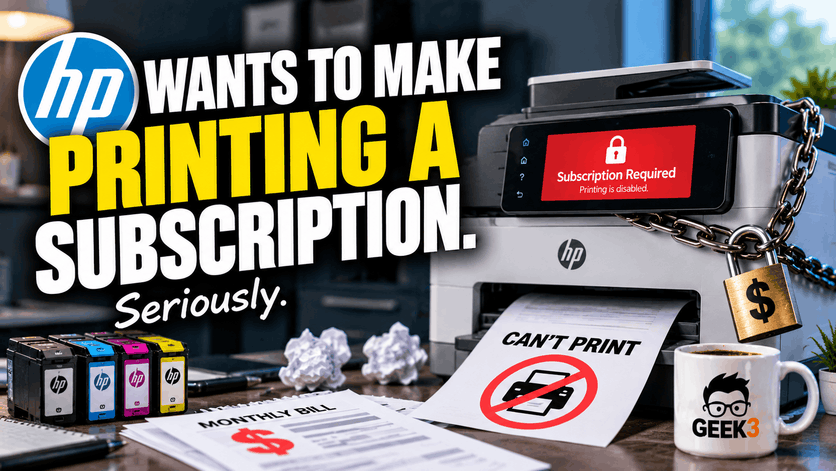

HP now offers printers that can literally stop printing because… you stopped paying a monthly subscription. Yikes.
Not because they’re broken. Not because they’re out of ink. Not because somebody accidentally unplugged the USB cable.
Because you stopped paying HP.
I guess charging outrageous prices for ink cartridges wasn’t making HP enough money. Now the company wants to collect a monthly payment for the privilege of making words appear on paper.
And before you assume this is another ridiculous corporate idea that will never actually happen, it’s already happening.
Former HP CEO Enrique Lores made the company’s ambitions pretty clear when he said, “Our long-term objective is to make printing a subscription.”
Yes, printing. You know, that incredibly advanced technology where you press a button and words appear on a piece of paper. The same basic concept we’ve been using for decades, apparently now requiring the financial commitment of a gym membership.
HP introduced something called its All-In Plan, where customers pay a monthly fee for a printer, ink, and support. The catch? You don’t own the printer. HP does. Cancel the subscription, and the printer stops working. You also have to return it. And depending on when you cancel, you could be charged an early cancellation fee.
To be fair, HP isn’t forcing subscriptions on every printer it sells. At least not yet. But considering the direction they’re heading, I wouldn’t be surprised if that eventually changes.
And this isn’t some abandoned experiment either. In HP’s financial filings for the quarter ending July 31, 2026, the company continued identifying subscription-based printing as part of its long-term business strategy.
Apparently, somebody at HP looked at the printer industry’s reputation for frustrating customers and decided there was still room for improvement.
The really frustrating part is that this subscription business isn’t even the beginning of HP’s increasingly restrictive approach to printing. It’s just the latest chapter in a story that’s been unfolding for years.
And as someone who has spent a considerable amount of time troubleshooting printers for businesses and residential customers, I’ve had a front-row seat to some of this nonsense.
You Can Cancel the Subscription. You Just Can’t Keep Printing.
Let’s talk a little more about HP’s All-In Plan, because the details are almost more frustrating than the headline.
On paper, it sounds convenient. Instead of buying a printer outright, you pay HP a monthly fee. The company supplies the printer, automatically ships replacement ink when needed, and provides technical support. Depending on your plan, you also receive a certain number of pages you can print each month.
I can see why this might appeal to some people. Printers break, ink is expensive, and having somebody else handle replacements sounds pretty nice.
But there’s a pretty significant difference between buying a printer and subscribing to one.
With the All-In Plan, HP maintains ownership of the equipment. You can use the printer while your subscription is active, but that doesn’t mean you eventually own it after making enough payments.
In fact, HP’s own terms of service explicitly state that the printer remains HP’s property, even if you complete the original subscription term.
Think about that for a moment.
You could pay HP every month for two years, have a perfectly functioning printer sitting on your desk, and decide that you’ve had enough of the monthly payments.
That’s fine. You’re allowed to cancel. But the printing service ends, and HP wants its printer back.
Even more interesting, HP’s documentation explains that certain payment problems or a loss of internet connectivity can interrupt your ability to print.
So now your printer doesn’t just depend on electricity, paper, and ink. It also depends on your internet connection, your account status, and whether HP is happy with your payment method.
Imagine walking into your office on Monday morning, needing to print an important document for a customer, and discovering that your printer isn’t working because the credit card associated with your subscription expired over the weekend.
The printer itself might be perfectly fine. It could have plenty of ink. The paper tray could be full. Your computer could see the printer on the network without a problem.
But none of that matters if the subscription service says no.
And let’s not forget about the page allowances. Depending on the subscription you choose, HP charges based on how many pages you print. Go beyond your allowance and you can incur additional charges.
I understand paying for supplies. What bothers me is the idea that a printer has effectively become a service that must continually receive permission from its manufacturer to operate.
Now, HP would argue that you’re paying for more than just the ability to print. You’re getting hardware, ink, replacement coverage, and support. That’s a fair point, and for certain customers the arrangement might actually work out financially.
But there’s something unsettling about a perfectly functional machine becoming useless to you because a subscription ended.
We’ve grown accustomed to this with software. Cancel Netflix, and you lose access to Netflix. Stop paying for cloud storage, and your storage benefits eventually disappear.
But a printer?
It’s a physical machine sitting right there on your desk. If the hardware still works, the concept of remotely disabling its primary function feels like an unnecessary step backward.
Apparently, Expensive Ink Wasn’t Enough
To understand why this bothers me so much, we need to look at how HP has treated printer customers for years.
Printers have traditionally been sold using a business model where the actual machine is relatively inexpensive, while the manufacturer makes much of its money selling replacement ink or toner.
It’s similar to buying an inexpensive coffee machine, only to discover that the manufacturer expects you to keep purchasing its proprietary coffee pods for the next five years.
Except coffee machines generally don’t refuse to brew because you’re using the wrong brand of coffee.
For years, consumers have complained about the price of printer ink. Sometimes replacing a complete set of cartridges feels almost as expensive as replacing the printer itself.
And that’s before you consider how frequently certain inkjet printers need replacement cartridges, especially if they’re used inconsistently and the ink starts drying out.
But the real frustration comes when the printer refuses to do something that seems perfectly reasonable.
Remember when certain printers started refusing to print black-and-white documents because one of the color cartridges was empty?
You could have a perfectly full black cartridge, but if cyan was empty, forget it. Your printer was apparently incapable of printing a simple invoice without its emotional support blue ink.
That’s not just an exaggerated internet complaint either.
HP’s own support documentation explains that certain printers require ink in every cartridge to function, even when the document you’re printing doesn’t appear to need those colors.
HP says these requirements help protect the printhead and prevent clogs. There are legitimate engineering reasons why some inkjet printers use small amounts of color ink during maintenance, and not every HP printer behaves this way.
But here’s my problem.
From the customer’s perspective, they have a printer, they have black ink, and they need to print something in black and white. Yet they’re being told they need to purchase another color cartridge before anything can happen.
Imagine trying to get an invoice printed before a customer leaves your office. The printer suddenly announces that it’s out of cyan ink, so you’re stuck explaining why you can’t print a document containing absolutely no blue.
It’s ridiculous.
And then there’s the issue of replacement cartridges.
For years, customers have purchased compatible or remanufactured cartridges because they’re often cheaper than the original manufacturer’s supplies. In many cases, those cartridges work perfectly well for everyday printing.
Of course, quality varies. There are poorly manufactured cartridges out there, and cheap ink isn’t always a bargain if it causes leaks, clogs, or terrible print quality.
But shouldn’t the customer have the option to make that decision?
Apparently HP has a different opinion.
Your Printer Has Decided It Doesn’t Like Your Ink
HP has something called Dynamic Security, and it’s one of the most frustrating examples of a printer manufacturer trying to control what customers can put inside their own equipment.
Essentially, certain HP printers use electronic chips to authenticate ink and toner cartridges. If the printer detects a cartridge with an unsupported non-HP chip, it can refuse to print.
That means a cartridge could physically fit the printer, contain perfectly usable ink, and still be rejected because HP doesn’t approve of the electronics inside it.
And here’s where things get even more interesting.
HP acknowledges that firmware updates can cause cartridges that previously worked to stop working.
Firmware is the software built into the printer itself. Manufacturers release firmware updates to fix bugs, improve compatibility, and address security problems. Normally, updating firmware is something I encourage because outdated software can introduce legitimate security risks.
But in this case, an update can also change which cartridges the printer will accept.
Imagine buying a car, replacing the windshield wipers with an aftermarket brand, and everything works perfectly fine.
Then, a few months later, the manufacturer sends a software update to your car. Suddenly, the engine refuses to start because it detects windshield wipers that weren’t purchased from the dealership.
The manufacturer explains that the restriction is necessary for your safety.
Meanwhile, the approved windshield wipers cost considerably more.
That’s essentially the level of nonsense we’re dealing with.
HP has defended Dynamic Security partly as a security measure, raising concerns about malicious software potentially being introduced through cartridge electronics.
As someone who works in cybersecurity, I understand protecting devices from legitimate threats. Modern printers are network-connected computers in their own right. They contain processors, memory, operating systems, and network interfaces. They’re absolutely devices that businesses should take seriously from a security standpoint.
But I’m having a hard time accepting that restricting replacement ink cartridges is the best solution to this problem.
If a printer’s security depends on blocking third-party supplies, I think it’s reasonable to question why the printer was designed to trust those components so heavily in the first place.
And it’s awfully convenient when those security measures also encourage customers to purchase HP’s more expensive supplies.
This controversy isn’t going away, either.
In March and April 2026, industry groups criticized additional HP firmware updates that allegedly disabled compatible remanufactured cartridges. The dispute also brought attention to environmental certification standards intended to encourage electronics manufacturers to support cartridge reuse.
The International Imaging Technology Council, a trade organization representing parts of the cartridge-remanufacturing industry, raised concerns that HP’s restrictions undermine those goals. Those claims are disputed industry allegations, not a court finding against HP, but they demonstrate that the controversy is very much ongoing.
You can read more about the 2026 dispute reported by Ars Technica.
Personally, I find the environmental angle especially interesting.
We’re constantly being encouraged to reduce electronic waste, reuse products, and avoid throwing away perfectly good equipment. Yet here we have printers that can reject reusable cartridges based on an electronic chip.
And to make matters worse, an update intended to improve your printer can sometimes leave you needing to buy replacement supplies that you didn’t need before.
If there’s one thing I’ve learned from working in IT, it’s that customers don’t appreciate discovering that yesterday’s working equipment has become today’s expensive problem.
You Need an Account to Print Something!?
Now let me tell you about an experience that really changed how I felt about HP printers.
I was setting up a brand-new HP printer for a customer. Nothing particularly unusual about the job. Get the printer connected, install the necessary software, make sure everything communicates properly, and test the printing.
Pretty routine stuff for someone who does this for a living.
Except HP had other plans.
Before I could finish getting the printer working, HP required the client to create an official HP account.
Think about that. An account… to use a printer.
Folks aren’t registering for online banking or setting up a cloud server. They’re trying to make a piece of paper come out of a machine sitting three feet away.
Come on.
Now, I understand why certain connected services require accounts. If you’re using cloud printing, remote document access, or an ink delivery service, an account can provide legitimate functionality.
But when somebody purchases a printer specifically to print documents from their own computer, why should creating an online account be a requirement just to complete setup?
And what exactly happens when the customer forgets their password? What happens when the email address associated with that account no longer exists? What happens when the employee who originally registered the printer leaves the company?
These aren’t hypothetical concerns in the IT world.
I regularly encounter businesses where equipment was originally configured by someone who no longer works there. Sometimes the person used a personal email address. Sometimes nobody remembers which account was used. Sometimes the original setup information simply disappeared years ago.
Adding unnecessary account dependencies to basic office equipment creates one more thing that can go wrong.
HP has a program called HP+ that requires an HP account, internet connectivity, and original HP ink for the lifetime of the printer. HP+ itself isn’t a paid subscription, and these requirements don’t apply to every HP printer.
But that’s exactly why customers need to pay attention to what they’re purchasing.
Two printers might look almost identical sitting on a store shelf, but one could have restrictions that the other doesn’t.
And unfortunately, a lot of people don’t discover these requirements until they’re already home, the printer is out of the box, and they’ve spent twenty minutes removing all that bright orange packing tape manufacturers seem to love so much.
That account-setup experience genuinely bothered me. Enough that I’ve increasingly recommended alternatives like Brother and Epson to customers shopping for new printers.
Of course, no printing company is perfect. All printers have problems, and every manufacturer has models I would avoid.
But HP seems determined to turn what should be a straightforward purchase into an ongoing relationship nobody asked for.
At this rate, I’m expecting my next printer to require two-factor authentication before it’ll print a grocery list.
HP Has Turned Printing Into a Collection of Services
One of the more confusing things about HP’s strategy is that the company now has several different printing programs, each with its own rules.
There’s HP Instant Ink, HP+, and the All-In Plan. They sound similar, but they’re not interchangeable, and the differences matter.
HP Instant Ink is primarily a subscription for ink. You generally own the printer, but HP sends you special subscription cartridges and charges according to your printing plan.
Here’s the catch. If you cancel Instant Ink, the subscription cartridges stop working when your final billing period ends, even if there’s still ink inside them.
You can generally continue using the printer by installing compatible retail cartridges, subject to any other restrictions on that particular printer.
That distinction is important. Canceling Instant Ink doesn’t automatically mean your purchased printer becomes permanently useless.
HP+ is different. It’s a collection of connected printing features available on certain HP printers. It isn’t itself a paid monthly subscription, but it introduces requirements including an HP account, internet connectivity, and original HP supplies.
The All-In Plan goes further because the printer itself is part of the subscription. Cancel the plan, lose the ability to print, and return the equipment.
Now imagine being an ordinary customer who just wants to purchase a printer for home or the office.
Are you supposed to understand all these distinctions before buying one?
Are you supposed to research which model supports third-party cartridges, which one requires an account, which one needs a continuous internet connection, and which one you’ll have to return if you stop making payments?
This is a printer, not a mortgage application.
And in my opinion, this complexity is becoming part of the problem. Manufacturers keep adding programs, services, and restrictions to devices that most people simply expect to work.
I don’t think customers should need an IT professional to explain whether they’re actually buying the printer they’re looking at.
What Does HP Actually Gain From All This?
Here’s where the business side of this gets interesting.
HP is a massive corporation, and like any publicly traded company, it wants to grow revenue and keep shareholders happy.
There’s nothing inherently wrong with that. Businesses need to make money, and manufacturers need profits to fund development, support, and future products.
But printing is an unusual industry because the demand for traditional printing has changed considerably.
More documents are electronic. Businesses use cloud storage, digital signatures, online invoicing, and electronic recordkeeping. Many of the things we used to print regularly no longer require paper.
That creates an obvious challenge for companies that have historically relied heavily on customers continuously purchasing ink and toner.
If customers are printing fewer pages, they’re probably buying fewer replacement cartridges.
And that’s not exactly great news for a business model built around selling replacement supplies.
HP’s own financial results illustrate some of that pressure. In its August 2026 earnings report, HP reported that its Printing division’s quarterly revenue had declined compared with the previous year. Supplies revenue was also down.
So imagine being a printer manufacturer watching customers gradually print less while increasingly choosing lower-cost replacement cartridges.
You could respond by trying to make your printers more appealing, less expensive to operate, and easier to use.
Or you could try to turn customers into recurring monthly revenue.
HP appears particularly interested in the second option.
During his time as CEO, Enrique Lores discussed HP’s desire to reduce what the company considered “unprofitable customers.” His reasoning was that selling a printer represents an investment by HP, and customers who don’t print enough or don’t purchase HP supplies can become poor investments.
I find that perspective fascinating.
From the customer’s point of view, they’re purchasing a printer.
From HP’s point of view, apparently they’re entering a financial relationship that needs to produce a certain amount of ongoing revenue.
Those are two very different ways of looking at the same transaction.
It’s almost like buying a refrigerator and having the manufacturer complain that you aren’t purchasing enough groceries to justify the original sale.
And this is where subscriptions become so appealing to corporations. Instead of depending entirely on whether customers purchase replacement supplies, the manufacturer gets predictable monthly payments.
Predictable revenue is wonderful for a business. But what happens when that revenue model starts influencing how much control customers have over the products they use?
That’s the question I think deserves more attention.
Are Printer Subscriptions Always a Bad Idea?
Before somebody accuses me of being against every subscription in existence, let me clarify something.
I’m not.
In fact, my own business provides ongoing IT services. Customers pay for monitoring, maintenance, cybersecurity protection, updates, support, and other services designed to keep their technology running.
So I’d be pretty hypocritical to suggest that every recurring payment is automatically a bad deal.
What matters is whether the subscription provides genuine, ongoing value.
Businesses have leased commercial printers and copiers for decades. Those agreements often include maintenance, repairs, toner, replacement parts, and service visits.
For a busy office printing thousands of pages every month, that arrangement can make perfect financial sense.
Some businesses would rather pay a predictable monthly amount and have someone else responsible for keeping the machine operational. I completely understand that.
HP’s All-In Plan may even be a reasonable arrangement for certain customers who want that convenience and understand the terms.
My objection isn’t that HP offers a subscription.
My objection is that HP’s broader strategy seems increasingly focused on restricting what customers can do without maintaining an ongoing relationship with HP.
Expensive ink is one thing. Blocking otherwise compatible replacement cartridges is another. Requiring online accounts for certain printers adds yet another dependency.
And now HP has a subscription model where even a perfectly functional printer can stop printing when the agreement ends.
Individually, each of these decisions can be explained as a business strategy or technical requirement.
Put them together, though, and I see a pattern I don’t particularly like.
Technology manufacturers appear increasingly interested in controlling the experience long after the initial purchase.
And that should concern anyone who prefers to own and control the equipment they pay for.
What Should Small Businesses Do Instead?
If you’re a small-business owner shopping for a printer, my advice is pretty simple.
Don’t automatically purchase the cheapest printer you see at the store.
I’ve seen plenty of situations where a business saves money on the original purchase, only to spend considerably more over the following years on cartridges, replacement parts, and troubleshooting.
A printer that costs $80 today might be a terrible bargain if you’re constantly replacing expensive ink or dealing with unnecessary restrictions.
Start by considering what you actually need the printer to do.
For businesses that mostly print invoices, forms, correspondence, and other black-and-white documents, a monochrome laser printer is often a fantastic choice.
Laser printers use toner instead of liquid ink, so you don’t have the same problems with ink drying out between print jobs. Toner can also last for thousands of pages, depending on the cartridge and printer model.
I’ve increasingly recommended Brother laser printers for many of these situations because they often provide a straightforward, reliable printing experience without some of the headaches I’ve encountered with certain HP models.
For businesses that need regular color printing, refillable ink-tank printers from manufacturers like Epson are worth considering. They typically cost more upfront than inexpensive cartridge-based inkjets, but their running costs can be significantly lower for customers who print frequently.
However, ink-tank printers still use liquid ink, so they’re not necessarily the best choice for someone who prints once every six months.
And if you’re printing hundreds or thousands of pages every week, a properly maintained business-class laser printer or commercial copier arrangement might be the better option.
The point is that there’s no single perfect printer for everybody.
You should consider printing volume, color requirements, replacement supplies, network compatibility, maintenance costs, and the manufacturer’s restrictions before making a purchase.
I’d also pay attention to whether the printer requires an online account, whether it supports compatible third-party supplies, and what happens if the manufacturer’s cloud services become unavailable.
Those details might not look particularly exciting on a product specification sheet, but they can make an enormous difference over the life of the equipment.
And if you’re operating a business, consider the cost of downtime.
An employee spending thirty minutes troubleshooting an invoice printer isn’t getting their other work done. Multiply those interruptions across an office, and suddenly that inexpensive printer doesn’t seem like such a bargain.
Sometimes paying a little more upfront for equipment that’s easier to maintain and more dependable is the smartest financial decision you can make.
At What Point Do We Actually Own Anything?
I think that’s the bigger issue behind HP’s subscription ambitions.
For years, technology has been moving toward services that require accounts, internet connections, subscriptions, and continuous authorization from manufacturers.
Sometimes that’s a good thing.
Cloud backups, managed security, and online collaboration services provide capabilities that would be difficult or expensive to maintain independently.
But there’s a difference between choosing a managed service because it benefits your business and having basic functionality increasingly tied to accounts, proprietary supplies, and recurring payments.
Not everything needs to be a subscription.
Sometimes a printer should just be a printer.
You should be able to purchase a piece of equipment, connect it to your computer, and use it without worrying that the manufacturer will introduce another restriction six months later.
You should be able to choose where you purchase replacement supplies, provided those supplies are compatible and you’re willing to accept the risks associated with using them.
And you certainly shouldn’t need to wonder whether the printer will continue operating because your payment method expired.
That’s my biggest frustration with HP.
Instead of focusing on making printers simpler, more reliable, and less expensive to operate, the company seems increasingly focused on finding new ways to keep collecting money from its customers.
And considering what HP’s former CEO said about the company’s long-term objectives, along with the company’s continued emphasis on subscription-based printing, I have to wonder whether buying a printer outright will eventually become the exception rather than the rule.
I certainly hope not.
I’m not suggesting everyone should immediately throw away their HP printers. If you already have one that’s working well, there’s no reason to create another problem for yourself.
But when it comes time to replace it, I’d encourage you to look carefully at your options.
Manufacturers should have to compete for your business by offering better products, better reliability, and better value. Not by making it increasingly difficult to leave.
And if enough customers decide they’ve had enough of these restrictions, perhaps manufacturers will start listening.
Until then, I suppose we’ll just have to wait and see whether HP figures out a way to charge us separately for printing in landscape mode.
Making Technology One Less Thing to Worry About
Small businesses already have enough monthly expenses and operational headaches without adding unnecessary complications to something as basic as printing.
At Geek3 IT Support Services, I help businesses make smarter technology decisions, from selecting and configuring the right computers, printers, and networking equipment to securing their systems against cyber threats.
That also includes ongoing monitoring, maintenance, troubleshooting, backups, and making sure everything continues working the way it should.
My goal isn’t to introduce more technology into your business just for the sake of it. It’s to make the technology you already depend on more reliable, more secure, and easier to manage.
Whether you’re struggling with unreliable printers, outdated computers, network problems, or simply want someone keeping an eye on your systems so you can focus on running your business, I’m always happy to help.
If you’re tired of fighting with your office technology, or want someone to help keep your business running without all the unnecessary headaches, shoot me a message. I’m always happy to talk.
