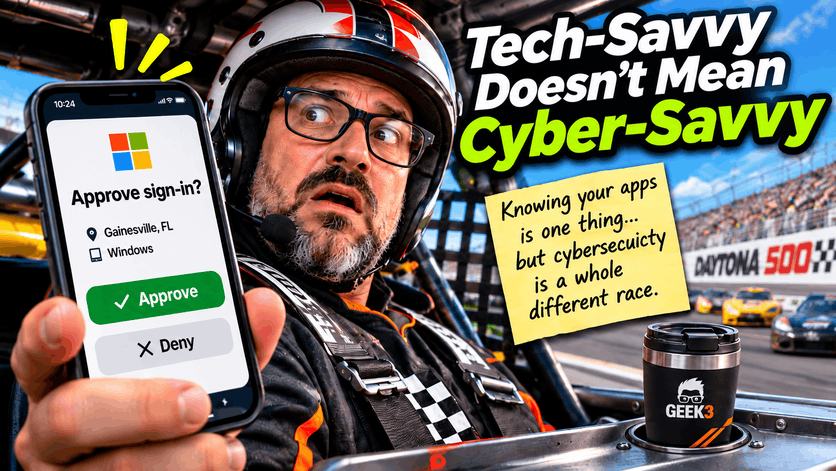

Imagine you’re running a business and someone on your team gets this notification on their phone…
[Insert image of an Approve / Deny sign-in notification]
They’re busy, juggling three things at once, and without thinking twice, they tap Approve.
They may have just handed a cybercriminal the keys to your business.
And the scary part? This isn’t necessarily some inexperienced employee who doesn’t understand technology. It could be your most technically capable employee. It could be your office manager. It could even be the CEO.
Executives are particularly interesting targets because some have assistants who regularly access their accounts or trigger legitimate sign-in requests. When someone gets accustomed to approving these requests, an unexpected notification might not seem particularly suspicious.
It becomes just another button to push during an already busy day.
And that’s exactly what cybercriminals are counting on.
We’ve spent decades making technology faster, easier, and more convenient. We’ve gotten to the point where people can accomplish almost anything from their smartphones without understanding much about what’s happening behind the scenes.
That’s fantastic for productivity.
Unfortunately, it also means we’ve become incredibly comfortable trusting whatever appears on our screens.
And being comfortable with technology is not the same thing as understanding how to use it safely.
The Problem With Being Too Comfortable
Technology has become ridiculously easy to use. We can pay bills, transfer money, manage entire businesses, and order a pizza without ever speaking to another human being.
We can unlock our computers with our faces, approve financial transactions with our fingerprints, and sign into business applications with a quick tap on our phones.
Remember when you had to actually remember your passwords? Now half the time, your phone remembers them for you.
Convenience has become one of technology’s greatest accomplishments. But it has also created an interesting problem.
We’ve become so accustomed to technology working that we sometimes stop questioning what it’s asking us to do.
Cybercriminals absolutely love this.
Think about it. A cybercriminal doesn’t necessarily have to break through a sophisticated firewall or spend hours cracking encrypted passwords. Sometimes, all they need is someone to click a convincing link, enter their credentials into a fake website, or approve a login request they didn’t initiate.
It’s less about hacking computers and more about hacking the people using them.
And unfortunately, people don’t come with automatic security updates.
That last part is important because the technology protecting your business is constantly evolving. Microsoft releases security patches. Antivirus companies update their detection systems. Firewalls receive new rules to recognize suspicious traffic.
But what about the person sitting behind the keyboard?
What happens when an employee receives an email that appears to come from their bank? Or a message from their boss asking them to purchase gift cards for an upcoming company event?
What happens when someone receives an unexpected login request while they’re rushing between meetings?
Unlike your computer, your brain doesn’t automatically download the latest security definitions every Tuesday.
You have to actually learn what to look for.
And that’s where things get interesting.
Being Tech-Savvy Isn’t a Superpower
There’s a common assumption that younger employees are naturally better with technology because they grew up surrounded by it.
Nope.
Sure, someone who can navigate 15 apps simultaneously while watching TikTok and ordering lunch probably knows their way around a smartphone.
Many 4-year-olds can do this too.
But that doesn’t mean they understand cybersecurity.
That’s like assuming someone who’s really good at Mario Kart is qualified to race in the Daytona 500. Sure, they know which button makes things go faster. But I’m not sure I’d trust them doing 200 mph with a banana peel on the track.
Using technology and understanding technology are two completely different things.
Someone might know every shortcut in Microsoft Excel but have absolutely no idea how to identify a fraudulent email.
Another employee might be fantastic at troubleshooting their smartphone but reuse the same password across every website they’ve ever visited.
And someone who spends eight hours a day working with computers might still approve an unexpected authentication request because they’ve gotten used to seeing them.
There’s also a difference between knowing how to accomplish something and understanding the risks involved.
For example, a younger employee might be extremely comfortable using cloud storage to share files. They know how to upload documents, create links, and send those links to coworkers.
But do they understand what happens when they accidentally create a public sharing link? Do they know the difference between sharing something with a specific employee and making it accessible to anyone who possesses the link?
Those are cybersecurity questions, not technology questions.
And age has very little to do with the answers.
I’ve encountered plenty of older employees who are extremely cautious about suspicious messages. I’ve also encountered younger users who assume that because something appears on their phone, it must be legitimate.
Of course, the opposite happens too.
The point isn’t that one generation is better or worse at cybersecurity.
The point is that cybersecurity awareness is a learned skill, not something you automatically inherit by growing up with an iPhone.
You wouldn’t hire someone to manage your company’s accounting simply because they’re really good at using a calculator.
So why would we assume someone understands cybersecurity simply because they’re good with technology?
Your Firewall Can’t Fix Human Nature
You can have exceptional cybersecurity protection and still have a serious vulnerability sitting behind a keyboard.
Now, don’t get me wrong. Firewalls, antivirus software, email filtering, endpoint protection, and other security tools are incredibly important.
I work with these technologies every day, and they’re a huge part of keeping businesses protected.
But none of them can guarantee protection against someone willingly handing over sensitive information.
Consider a fairly common scenario.
Your accounting department receives an email appearing to come from a company you’ve been doing business with for years.
The message explains that the company recently changed banks and provides updated payment instructions for an outstanding invoice.
The logo looks correct. The sender’s name looks familiar. The invoice amount matches what your accounting department expects to pay.
Everything seems legitimate.
Except the bank account belongs to a criminal.
Maybe the criminal compromised a real email account. Maybe they registered a convincing lookalike domain. Or perhaps they simply copied an existing invoice and changed the payment instructions.
Either way, your employee isn’t trying to do anything wrong. They’re doing exactly what they believe their job requires.
They’re paying an invoice.
And your expensive cybersecurity software might never have an opportunity to stop them because the actual mistake happens when a human decides to trust the instructions.
This is called social engineering, and it’s one of the reasons cybersecurity has become so complicated.
Social engineering doesn’t necessarily require advanced programming skills. It relies on understanding how people behave.
We’re naturally inclined to trust familiar names, familiar logos, and messages that appear to come from people we know.
We’re also more likely to make mistakes when someone creates a sense of urgency.
“Your account will be suspended in 30 minutes.”
“Please process this payment immediately.”
“I need you to handle this before the meeting.”
Criminals deliberately create these situations because they want people reacting instead of thinking.
And when someone is already dealing with a busy workday, that little bit of pressure can be enough to push them into making a bad decision.
This is why cybersecurity awareness training matters just as much as the technology protecting your business.
Your firewall can inspect network traffic. Your antivirus can identify malicious files. Your email filtering can block many suspicious messages.
But none of those tools can completely replace a healthy sense of skepticism.
When the Hacker Sounds Just Like Your Boss
Here’s where things are getting especially concerning.
For years, one of the easiest ways to identify a suspicious message was to look for obvious warning signs.
Poor spelling. Awkward grammar. Strange formatting. Emails that sounded like they were written by someone who had never actually spoken English.
Those warning signs still exist, but they’re becoming much less reliable.
Artificial intelligence has made it significantly easier for criminals to create professional-looking messages that sound natural and convincing.
A scammer no longer needs to struggle with grammar or spend an afternoon writing a believable email.
They can use AI to generate one.
And it doesn’t stop with written messages.
AI-generated voices can be used to impersonate real people. With suitable recordings and the right tools, criminals can create audio that sounds surprisingly close to someone’s actual voice.
Imagine receiving a phone call from someone who sounds like your boss.
They know your name. They know you’re working on a particular project. They sound stressed and explain that they need you to authorize an urgent payment.
You recognize the voice, so you assume it’s legitimate.
Except it isn’t.
There have also been incidents involving deepfake video calls, where scammers used manipulated audio and video to impersonate company personnel during fraudulent financial transactions.
Now think about how difficult that makes things for an average employee.
We’re asking people to identify sophisticated scams in a world where emails can be perfectly written, voices can be convincingly reproduced, and video can be manipulated to impersonate someone they know.
That’s a much different environment from the old days of suspicious emails promising millions of dollars from a mysterious foreign prince.
At least that guy was generous enough to make the scam obvious.
Modern social engineering is designed to blend into the ordinary activities of a business.
A payment request. A password reset. A shared document. A voicemail. A message from human resources.
Something that looks completely normal until it’s too late.
That’s why businesses should have verification procedures that don’t depend entirely on recognizing someone’s voice or trusting the appearance of an email.
If someone asks your accounting department to change bank details, verify the change using a trusted phone number already on file.
If an executive unexpectedly requests a large transfer, require confirmation through a separate, established channel.
If someone claims to be from your IT department and asks for a password or authentication code, stop and verify who they are.
Technology can imitate a familiar voice.
It’s much harder for a criminal to bypass a well-established approval process when employees actually follow it.
That Little Approve Button Can Cause a Very Big Problem
Let’s revisit that notification from the beginning.
Multi-factor authentication, commonly called MFA, is one of the most important protections a business can implement.
Instead of relying entirely on a password, MFA requires additional proof that the person signing in is authorized to access an account.
Usually, that involves an authentication app, a security key, or another verification method.
It’s a fantastic security measure.
But not all MFA methods are equally resistant to phishing, and even good security tools can be undermined when people don’t understand what they’re approving.
One technique criminals use is often called MFA fatigue or MFA bombing.
Here’s how it works.
A criminal obtains someone’s password, perhaps through a phishing website or a previous data breach.
They attempt to sign into the person’s account.
The authentication system correctly recognizes that another verification step is required, so it sends a notification to the legitimate user’s phone.
The user denies it.
The attacker tries again.
And again.
And again.
Eventually, the user becomes annoyed or assumes something is wrong with the application. In some cases, they approve the request just to make the notifications stop.
And that’s precisely what the criminal wanted.
Modern authentication systems have introduced protections such as number matching, which can make this type of attack more difficult. Phishing-resistant authentication methods, including properly implemented passkeys and hardware security keys, offer even stronger protection.
But the human element still matters.
An unexpected login notification should never be treated like an ordinary software alert.
It means someone or something is attempting to access an account.
If you didn’t initiate the sign-in, don’t approve it.
And if the requests continue, that could indicate someone already knows your password and is actively trying to access your account.
That’s not something to ignore until tomorrow.
It’s something your IT provider needs to know about.
I also think businesses need to pay particular attention to executives and employees with privileged access.
These individuals often have access to sensitive financial information, important company documents, and administrative systems.
They’re attractive targets because compromising their accounts can provide an attacker with far more opportunities than compromising an ordinary user.
And because executives are often incredibly busy, they may be especially accustomed to delegating tasks or approving requests quickly.
Convenience is useful, but it shouldn’t become an excuse for bypassing security procedures.
Your Phone Is Part of Your Business Network Now
Another interesting change in cybersecurity is how much business activity happens outside the traditional office computer.
Years ago, cybersecurity discussions were largely centered around company desktops, servers, and the network connecting everything together.
Employees came into the office, sat at their workstations, and accessed company resources from equipment the business owned and managed.
Today, things look quite different.
Employees check business email while standing in line at the grocery store. They approve authentication requests from the parking lot. They open shared documents on their personal phones and respond to urgent messages while traveling.
In many cases, the same smartphone contains banking apps, personal social media accounts, business email, authentication tools, and access to company documents.
Everything is mixed together.
And that creates opportunities for mistakes.
Consider someone receiving a text message claiming to be from Microsoft, warning that their account has been locked.
On a desktop computer, they might notice the suspicious website address or unusual formatting.
But on a small smartphone screen, those warning signs can be harder to recognize.
People also tend to interact with their phones differently.
We’re accustomed to tapping notifications quickly, dismissing pop-ups, and switching between applications without giving each interaction much thought.
It’s practically muscle memory.
That makes smartphones attractive targets for phishing attempts because attackers know users are often distracted.
And there’s another concern.
Just because employees are using their personal devices doesn’t mean the business data on those devices is any less valuable.
An employee accessing confidential company information from an unmanaged personal phone can create risks that wouldn’t necessarily exist on a properly configured business workstation.
That’s why modern cybersecurity shouldn’t stop at the office door.
Businesses need to consider how employees access information, what devices they use, and what protections exist when they’re working remotely.
That doesn’t mean every business needs an incredibly complicated mobile-device management system.
It means you should understand where your company information is going and what might happen if one of those devices becomes compromised.
Sometimes the Smallest Habits Create the Biggest Risks
Not every cybersecurity incident begins with an elaborate scam.
Sometimes, the problem is something as ordinary as a reused password.
Imagine an employee signs up for an online shopping website using the same password they use for their company email account.
A few months later, that shopping website suffers a data breach.
The employee’s email address and password are exposed.
The employee might never know the breach happened.
But criminals can take those stolen credentials and attempt to use them on other services, including Microsoft 365, Google Workspace, and other business applications.
This technique is known as credential stuffing.
And it’s one of the reasons password reuse is such a bad idea.
A password can be complicated, difficult to guess, and filled with special characters. None of that matters if the exact same password was already stolen somewhere else.
Of course, telling employees to remember dozens of completely unique passwords isn’t realistic either.
That’s why password managers and modern authentication methods are so valuable.
A good password manager can generate strong, unique passwords and store them securely so employees don’t have to remember every single one.
Passkeys can also eliminate traditional passwords for supported services and, when properly implemented, help protect users against fake login websites.
But even these protections work best when employees understand why they’re using them.
Otherwise, security measures can become something people try to work around.
Maybe someone saves company passwords in an unapproved browser extension because it’s convenient.
Maybe an employee sends a password through an ordinary email because a coworker needs access to something.
Or perhaps a manager shares their login credentials with an assistant rather than creating the appropriate access permissions.
These aren’t always malicious decisions.
They’re usually people trying to get their work done.
And that’s exactly why cybersecurity needs to be practical.
If your security procedures are so complicated that employees constantly look for ways around them, there’s a good chance the procedures need improvement.
Security should protect the business without making ordinary work unnecessarily difficult.
Cybersecurity Training Shouldn’t Feel Like Punishment
When people hear the phrase “cybersecurity awareness training,” they often imagine sitting through a painfully boring presentation about passwords and suspicious emails.
Maybe there’s a quiz at the end.
Maybe someone from management reminds everyone to complete it by Friday.
And then the whole thing gets forgotten until next year.
That’s not particularly useful.
Effective cybersecurity training should help employees recognize situations they’re likely to encounter during an ordinary workday.
Someone in accounting should understand how fraudulent invoices and payment instructions work.
An executive assistant should know how to verify unusual requests from company leadership.
Employees who frequently travel should understand the risks of using unfamiliar networks and unmanaged devices.
And everyone should know what to do when they receive an unexpected authentication request.
Training also needs to evolve because the threats are constantly changing.
A phishing scam from five years ago may look completely different from one circulating today.
Criminals adapt their methods based on what works, what security tools are commonly deployed, and how people interact with technology.
If a business is still teaching employees to identify phishing exclusively by looking for spelling mistakes, that training needs an update.
But there’s another part of cybersecurity awareness that I think is just as important.
Employees need to feel comfortable asking questions.
I’ve always encouraged my clients to contact me about suspicious emails, even when those messages turn out to be completely legitimate.
I’d much rather spend a few minutes verifying an email than spend an entire afternoon cleaning up after someone clicked the wrong thing.
And employees should never feel embarrassed about asking.
If someone receives a strange email and worries that reporting it will make them look foolish, they might decide to handle it themselves.
That’s exactly the opposite of what you want.
The same thing applies when someone actually makes a mistake.
Imagine an employee clicks a suspicious link and realizes a few seconds later that something isn’t right.
What happens next?
If they’re terrified of being blamed or punished, they might keep quiet and hope nothing happens.
But if they immediately contact the company’s IT department, there may be an opportunity to investigate the incident, reset compromised credentials, or prevent further damage.
The faster an incident gets reported, the more opportunities there may be to contain it.
This is why cybersecurity awareness should be part of a company’s everyday culture rather than something employees reluctantly complete once a year.
And yes, that includes the CEO.
Actually, especially the CEO.
Security policies aren’t very effective when the people running the business consider themselves exempt from following them.
Technology Still Matters. A Lot.
Now, after spending this much time discussing human behavior, I don’t want anyone walking away thinking cybersecurity software is somehow unnecessary.
Quite the opposite.
You absolutely need good technical protections.
In fact, one of the reasons businesses invest in modern security tools is because we know people are going to make mistakes.
It’s inevitable.
Someone will eventually click something they shouldn’t. Someone will open a suspicious attachment. Someone will accidentally enter their password into a fraudulent website.
We’re human.
And that’s why a strong cybersecurity strategy should have multiple layers of protection.
Email security can block many fraudulent messages before employees ever see them.
Endpoint security can identify and stop suspicious activity on individual computers.
Multi-factor authentication can prevent criminals from accessing accounts even when passwords have been stolen.
DNS filtering can prevent devices from connecting to known malicious websites.
Application controls can restrict unauthorized software from executing.
Security monitoring can identify suspicious account activity or unusual behavior that might otherwise go unnoticed.
And properly configured backups can help a business recover from certain types of incidents.
Each of these protections addresses a different risk.
No single tool can guarantee that a business will never experience a cybersecurity incident.
But combining multiple protections makes it considerably more difficult for an attacker to succeed.
Think of it like racing at Daytona.
The driver needs to understand how to operate the car, recognize hazards, and make good decisions at high speeds.
But you wouldn’t send that driver onto the track without a helmet, a safety harness, a properly maintained vehicle, and a trained pit crew.
All those things work together.
The driver is still responsible for making good decisions, but the safety equipment exists because even experienced drivers make mistakes.
Cybersecurity works much the same way.
Your employees need awareness and good judgment. Your business needs technical protections that can catch mistakes before they become disasters.
And someone needs to monitor everything so problems don’t go unnoticed.
That’s where a good IT provider becomes important.
The goal isn’t to eliminate every possible risk, because that’s simply not realistic.
The goal is to reduce the likelihood of an incident, limit the damage if something goes wrong, and recover as quickly as possible.
A Little Skepticism Goes a Long Way
If there’s one thing I’d like business owners to take away from all of this, it’s that cybersecurity isn’t determined by how technologically advanced your employees appear to be.
Someone who struggles with basic computer functions might be extremely cautious about suspicious emails.
Someone who knows every keyboard shortcut and can troubleshoot almost anything might still fall for a convincing phishing attack.
And someone who has been using the same business software for 20 years might become so accustomed to routine notifications that they approve something without thinking.
Nobody is automatically immune to these threats.
Not young employees. Not older employees. Not managers. And certainly not business owners.
The good news is that employees don’t need to become cybersecurity experts to make a meaningful difference.
They just need to develop better habits.
If a login notification appears unexpectedly, don’t approve it.
If someone requests a change to payment instructions, verify the request using a trusted contact method.
If an email asks for sensitive information or creates unusual urgency, take a moment to question it.
If someone calls claiming to be from your IT department and asks you to provide an authentication code, verify their identity before doing anything.
And if something feels suspicious, ask.
It really is that simple.
Of course, putting those habits into practice consistently requires guidance, repetition, and a business environment where security is taken seriously.
A one-time reminder isn’t going to accomplish much if everyone goes back to clicking buttons without thinking the next day.
Businesses need to reinforce good habits and make it easy for employees to do the right thing.
And business owners need to lead by example.
If management routinely bypasses established security procedures because they’re inconvenient, employees will eventually assume those procedures aren’t particularly important.
On the other hand, when leadership takes cybersecurity seriously, employees are much more likely to do the same.
Cybersecurity awareness isn’t about making employees paranoid or convincing them that every email is dangerous.
It’s about giving them the confidence to recognize suspicious situations and know what to do when something doesn’t seem right.
Because sometimes the difference between a normal Tuesday afternoon and an extremely expensive cybersecurity incident is one person deciding to ask a question before clicking a button.
Cybersecurity isn’t about how quickly someone can use technology. It’s about knowing when to slow down.
How Geek3 Can Help Protect Your Business
At Geek3 IT Support Services, we help businesses protect themselves with practical cybersecurity solutions designed to address both technical vulnerabilities and the people using the technology.
That includes security monitoring, endpoint protection, email security, DNS filtering, access controls, and guidance to help employees recognize potential threats before they become expensive problems.
We also help businesses evaluate their existing protections, identify weaknesses, and implement sensible security measures without turning everyday operations into an obstacle course.
Because the goal isn’t to make technology more complicated.
It’s to make your business more secure while allowing your employees to do their jobs.
If you’re not sure how well your business would hold up against today’s cyber threats, or you’re relying on employees to figure out cybersecurity on their own, shoot me a message.
I’d be happy to help you figure out where your vulnerabilities might be hiding.
And no, you don’t need to qualify for the Daytona 500 to get started.
