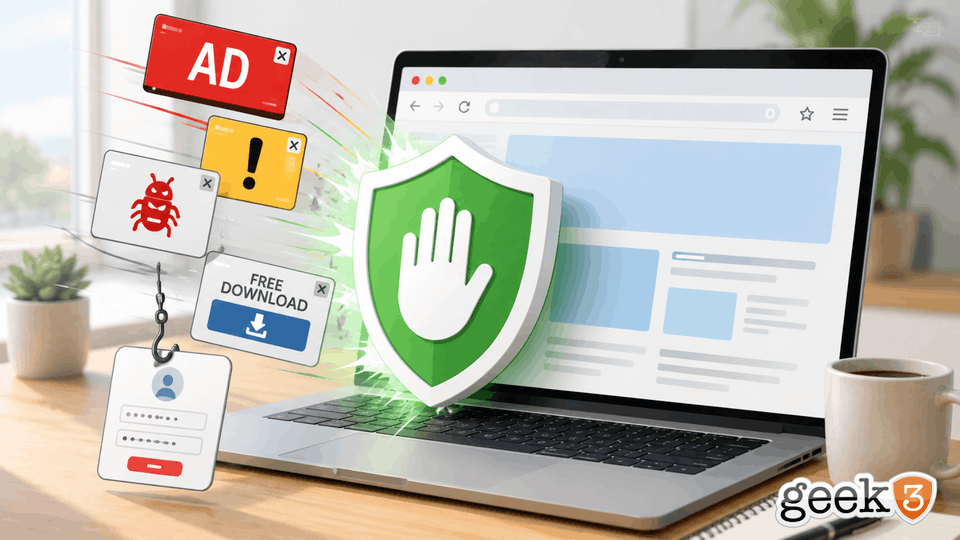

For years, ad blockers have had a pretty simple reputation.
They block ads.
That’s it.
You install one because you’re tired of opening a website and immediately being attacked by popups, autoplaying videos, giant banners, newsletter signup boxes, cookie notices, and an advertisement that somehow manages to cover the exact paragraph you’re trying to read.
They’re convenient.
They’re also the reason you can occasionally visit a recipe website without scrolling through the author’s entire childhood before finding out how much butter goes in the cookies.
But something interesting has been happening lately.
Google has been changing some of the underlying rules governing what browser extensions can do inside Chrome. Because Microsoft Edge and quite a few other browsers are built on the same Chromium foundation, those changes don’t necessarily stay inside Chrome.
And one of the things caught in the middle is ad blocking.
Firefox recently made some news by reiterating that it plans to continue supporting the full version of uBlock Origin, one of the most popular ad blockers around.
I’m going to stop the technical explanation right there.
There are different versions of extension standards. There are arguments about which browser supports what. There are technical reasons behind the changes. There are people on Reddit who could happily debate all of this until sometime next Thursday.
That’s not really the interesting part for a business owner.
The interesting part is this:
Ad blockers aren’t necessarily just blocking annoying advertisements anymore.
Sometimes they’re blocking things you probably don’t want anywhere near your business computer in the first place.
Meet Something Called “Malvertising”
Yes, that’s actually a word.
It sounds like something I just made up to make cybersecurity more exciting, but unfortunately it’s real.
Malvertising is short for malicious advertising.
And the basic idea is surprisingly simple.
If you’re a criminal trying to infect someone’s computer, steal a password, trick someone into downloading malware or send them to a fake website, you need to get that person to click something.
For years, we’ve trained people to imagine that “something” as an obviously suspicious email.
You know the ones.
URGENT: YOUR MICROSOFT ACCOUNT WILL BE DELETED IN 14 MINUTES!!!
Or maybe your long-lost Nigerian royal relative has once again discovered several million dollars that can only be transferred with your assistance.
Those attacks still happen.
But criminals have gotten considerably better at this.
Instead of trying to convince you to visit some bizarre corner of the Internet, what if they could put something dangerous right where you’re already looking?
That’s where advertising becomes interesting.
Online advertising is an enormous ecosystem involving websites, advertisers, automated systems, advertising networks, tracking systems and countless pieces of code working behind the scenes.
Most of it is legitimate.
Most online advertisements aren’t trying to infect your computer.
But attackers have repeatedly figured out ways to abuse that ecosystem.
And sometimes the person on the receiving end isn’t doing anything particularly reckless.
They’re just trying to get some work done.
Think About How Your Employees Actually Use the Internet
This is where the problem becomes much more relevant to businesses.
Imagine someone in accounting needs Adobe Reader.
They open Google and search:
Adobe Reader download
Someone needs to log into Microsoft 365.
They search:
Microsoft 365 login
Someone needs QuickBooks.
They search:
QuickBooks download
Someone receives a package notification and searches:
UPS tracking
None of those searches are suspicious.
Nobody is browsing the dark web.
Nobody is downloading pirated software.
Nobody is clicking a flashing button promising them free cryptocurrency.
They’re doing completely normal things that employees do every day.
Unfortunately, criminals know what normal people search for too.
That has created an entire category of attacks involving fake advertisements, sponsored search results, fake software downloads and websites designed to look almost identical to legitimate companies.
And they’re getting good at it.
Really good.
A fake website doesn’t necessarily look like a fake website anymore.
It might have the correct logo.
The correct colors.
The same product pictures.
A convincing login screen.
A professional-looking privacy policy.
An SSL certificate and the little lock in the browser.
It might look considerably better than the actual website of the local company you’re trying to visit.
The problem may be nothing more than a slightly different domain name that nobody noticed.
Then somebody enters a password.
Or downloads a file.
Or calls the phone number on the screen.
And now we have a problem.
Sometimes the Advertisement Is the Attack
There’s another misconception worth clearing up.
People often assume that if they’re visiting a legitimate website, everything appearing on that website must be legitimate too.
That’s not necessarily how the modern web works.
A website doesn’t always individually choose every advertisement you see.
Advertising space can be filled through networks and automated marketplaces. Different visitors can even see completely different advertisements on the same page.
That means the website you’re visiting and the advertisement appearing on it can come from different places.
Attackers have historically found ways to exploit that complexity.
Sometimes malicious advertising attempts to redirect users somewhere dangerous.
Sometimes it impersonates legitimate software.
Sometimes it promotes fake support services.
Sometimes it tries to convince people their computer is infected.
Sometimes the goal is credential theft.
Sometimes it’s malware.
Sometimes it’s simply the first step in a much larger scam.
And that’s where an ad blocker starts looking a little different.
If you thought an ad blocker existed exclusively so you wouldn’t have to watch an advertisement before a YouTube video, you’re missing part of what these tools can potentially do.
Blocking certain advertising and tracking content can also mean blocking content that someone might otherwise click.
That’s not a complete cybersecurity strategy.
But it’s not nothing either.
Let’s Be Very Clear: An Ad Blocker Is Not Antivirus
This is where I don’t want anyone getting the wrong idea.
Please don’t read this article, install an ad blocker on every computer in the office and announce that cybersecurity has been solved.
It hasn’t.
An ad blocker is not endpoint security.
It’s not antivirus.
It’s not a firewall.
It’s not DNS filtering.
It’s not email security.
It’s not multifactor authentication.
And it’s definitely not a substitute for keeping your computers updated.
If someone emails your employee a malicious attachment and they happily open it, your ad blocker isn’t going to jump out of the browser wearing a cape and save the day.
That’s not its job.
But this brings us to one of the most important concepts in cybersecurity.
Good security comes in layers.
There usually isn’t one product sitting between your business and everything bad on the Internet.
At least there shouldn’t be.
Think About Your House
You probably have a lock on your front door.
Maybe you also have an alarm system.
Maybe you have cameras.
Maybe there’s a motion light outside.
Maybe you have a dog that loses its mind every time an Amazon driver gets within 300 feet of the property.
Those things don’t make one another unnecessary.
Imagine someone telling you:
“Why do you bother locking your door? You already have an alarm.”
Because I’d rather the person never get inside.
The alarm is another layer if the lock fails.
The camera is another layer.
Your extremely enthusiastic 14-pound Shih Tzu is another layer.
Cybersecurity works much the same way.
The goal isn’t to find one magical product capable of stopping every possible attack.
The goal is to give an attack as many opportunities to fail as reasonably possible.
Maybe the malicious email gets filtered before the employee sees it.
Great.
Maybe a dangerous website gets blocked by DNS filtering.
Great.
Maybe the browser prevents some unwanted content from loading in the first place.
Great.
Maybe endpoint protection catches the malicious file when it gets downloaded.
Great.
Maybe the employee recognizes that something looks suspicious and stops before entering a password.
Even better.
Every one of those is another chance for the attack to end before it becomes an incident.
That’s the value of layers.
The Browser Has Quietly Become One of Those Layers
This is the part I think businesses tend to overlook.
Twenty years ago, the web browser was just another program on the computer.
You opened Internet Explorer when you wanted to look something up.
Then you closed it and went back to whatever software you were actually using.
That’s not how most offices operate anymore.
For a lot of employees, the browser has practically become the computer.
Think about how much business happens inside one today.
Email.
Microsoft 365.
Google Workspace.
Banking.
Payroll.
Accounting.
CRM systems.
Vendor portals.
Cloud storage.
Shipping.
Insurance.
Social media.
AI tools.
File transfers.
Online meetings.
Password managers.
Company dashboards.
Remote management systems.
Government websites.
Healthcare portals.
Credit card processing.
An employee can sit at a computer for eight hours and spend most of that time inside Chrome or Edge without ever consciously thinking about the browser itself.
It’s just there.
But that means the browser now sits directly between the employee and an enormous portion of your company’s digital life.
That’s a pretty important position.
And Browsers Know a LOT About Us
There’s another reason businesses should pay attention to what’s happening inside the browser.
Browsers don’t simply display websites anymore.
Depending on how they’re configured, they can store or interact with passwords, payment information, browsing history, downloads, cookies, authentication sessions and extensions.
They can keep employees signed into important business services.
Sometimes the browser is the reason an employee doesn’t have to enter a password every time they open email, accounting software or a vendor portal.
That’s wonderfully convenient.
It also means browsers have become incredibly valuable targets.
If someone can steal an active browser session, for example, simply changing a password may not always have the immediate effect people expect. Modern attackers increasingly understand that authentication sessions and browser data can be valuable alongside the passwords themselves.
This is one reason I cringe a little when someone describes a browser as though choosing one is purely a matter of whether they prefer the blue icon or the colorful circle.
There’s a lot happening inside that little window.
Extensions Deserve Attention Too
Then we have browser extensions.
Extensions are incredibly useful.
They can manage passwords, block content, check spelling, integrate with business applications, capture screenshots and add features the browser doesn’t provide on its own.
But an extension is still software.
And depending on what permissions you give it, that software may have considerable access to what happens inside your browser.
This is actually part of the broader reason browser makers have been changing how extensions work.
There are legitimate security concerns surrounding extensions with extremely powerful access.
That’s important context in the current ad-blocking debate.
This isn’t simply a cartoon fight where one side loves security and the other side loves advertisements.
There are competing concerns.
Browser developers want to limit the ability of malicious or compromised extensions to interfere with browsing activity.
Meanwhile, some of those same capabilities have historically allowed powerful content blockers to inspect and stop unwanted content before it loads.
That’s where things get complicated.
Fortunately, business owners don’t need to become browser-extension engineers.
The larger lesson is simpler:
Pay attention to what’s installed in your browser.
If an employee has 17 random extensions installed because they looked useful at some point over the last six years, that’s worth reviewing.
That free PDF converter?
Maybe take a look.
The coupon extension?
Take a look.
That extension called “Super Awesome Search Helper” that nobody remembers installing?
Definitely take a look.
The browser shouldn’t be treated like the junk drawer in your kitchen.
Blocking Ads Can Also Make the Web Simpler
There’s another security benefit here that doesn’t involve stopping malicious code at all.
It involves humans.
The modern web is incredibly noisy.
Open some websites and you’ll find legitimate download buttons, sponsored download buttons, advertisements designed to resemble download buttons, newsletter prompts, chat boxes, cookie notices, video players and recommendations all competing for attention.
Then we tell employees:
“Be careful what you click.”
Okay.
That’s good advice.
But perhaps we should also consider removing some of the garbage we’re asking them to distinguish between.
If a content blocker removes five unnecessary things from a page, the legitimate thing the employee is trying to find may become considerably easier to identify.
That matters.
Security isn’t always about building a taller wall.
Sometimes it’s about making the correct path obvious.
If employees constantly have to determine which of six brightly colored buttons is the real download button, eventually somebody is going to pick the wrong one.
Not because they’re stupid.
Because they’re busy.
They have invoices to send, customers to call and actual jobs to do.
They aren’t analyzing every webpage like a cybersecurity investigator.
Nor should we expect them to.
“Just Train Your Employees” Isn’t Enough
Employee security awareness is important.
I strongly believe in it.
But there’s a tendency in cybersecurity to put an unreasonable amount of responsibility on the person sitting behind the keyboard.
Don’t click the wrong link.
Don’t open the wrong attachment.
Don’t enter your password there.
Check the sender.
Check the domain.
Hover over the link.
Look for spelling mistakes.
Watch for fake advertisements.
Verify the login page.
Don’t approve the unexpected multifactor prompt.
Remember that Microsoft won’t call you.
Don’t download that.
Don’t click this.
All while that employee is trying to answer the phone and finish payroll before lunch.
Training matters.
But technology should help them.
That’s why layered security is so important.
Instead of relying exclusively on someone making the correct decision 100 percent of the time, we should try to reduce how many dangerous decisions reach them in the first place.
An employee can’t click the malicious advertisement they never saw.
They can’t visit the dangerous domain the filtering system blocked.
They can’t run the malicious file that endpoint security quarantined.
And they can’t enter credentials into a phishing email that never reached their inbox.
That’s the idea.
So Should Every Business Switch to Firefox?
No.
And that’s not the point of this article.
Firefox’s continued support for the full version of uBlock Origin is what brought this subject back into the news, but I don’t think businesses should suddenly start changing browsers based on one extension.
There are plenty of other considerations.
Compatibility matters.
Management matters.
Security updates matter.
Integration with your existing systems matters.
Your organization’s specific needs matter.
Chrome, Edge, Firefox and Safari all have different strengths, weaknesses and ecosystems.
For businesses using Microsoft 365, for example, there can be very good reasons to use Microsoft Edge in a properly managed environment.
This isn’t a browser recommendation.
It’s a reminder that browser decisions have security consequences now.
That’s something we didn’t have to think nearly as much about 20 years ago.
The Internet Changed. So Did the Browser.
I think that’s the bigger takeaway from this entire ad-blocking debate.
The web browser has quietly gone from being a window into the Internet to becoming one of the most important applications on the average business computer.
And yet we still sometimes treat it like an afterthought.
Install Chrome.
Import bookmarks.
Done.
But if your employees spend most of their working day inside a browser, then what happens inside that browser deserves some thought.
What extensions are installed?
Are they necessary?
Are they trustworthy?
Are dangerous websites being filtered?
Are downloads being monitored?
Are passwords being handled appropriately?
Are browsers staying updated?
Are employees signed into personal accounts on business computers?
What happens when someone clicks something malicious?
What other security layers are there if the browser doesn’t stop it?
Those are much more important questions than whether someone likes Chrome better than Firefox.
And yes, even something as simple as blocking advertisements can be part of that conversation.
Because ads aren’t always just annoying rectangles trying to sell you a pickup truck anymore.
Sometimes they’re part of the attack.
And if one more layer can prevent an employee from ever seeing the thing they weren’t supposed to click…
I’m perfectly happy letting that layer do its job.
At Geek3, we help businesses look at the entire security picture, not just whether antivirus is installed. From endpoint protection and web filtering to email security, monitoring and the everyday tools employees actually use, the goal is to build multiple layers between your business and the people trying to get into it.
If you’re not sure what’s protecting your computers, or whether those protections are actually working together, shoot me a message. That’s exactly the kind of thing I can help with.
