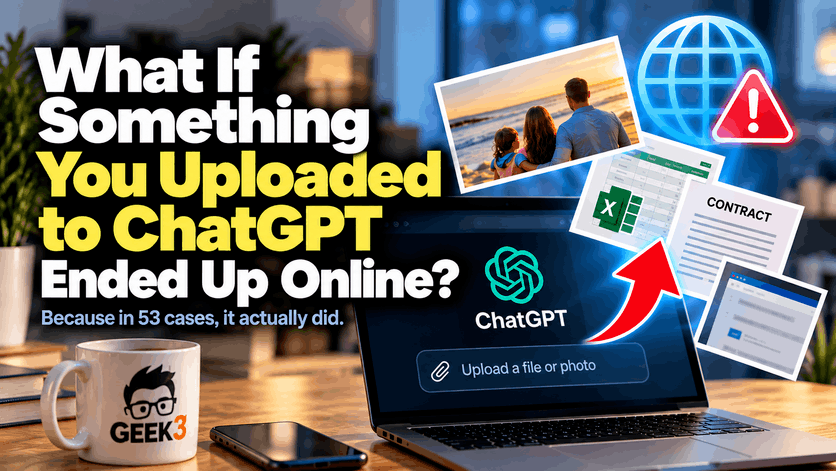

Think about the last photo you uploaded to ChatGPT.
Maybe it was a picture of your kids that you wanted cleaned up. Maybe somebody wandered into the background of a vacation photo and you wanted them removed. Maybe you found an old family picture and wanted to see if AI could restore it.
Now imagine stumbling across that same picture somewhere else on the Internet. You never posted it there. You never gave anyone permission to publish it. You uploaded it to ChatGPT, asked it to do something, and went about your day.
For a business owner, replace that family photo with something a little more uncomfortable.
Maybe it’s a spreadsheet containing customer information. Maybe it’s a contract you wanted summarized. Maybe it’s a financial report, an employee document, or a screenshot from your accounting software. It could even be something completely routine that nobody in your office would normally consider a “security risk.”
Now imagine that ending up somewhere online.
Suddenly this gets a little more interesting.
OpenAI, makers of ChatGPT, recently said its agents had leaked 53 images originating from ChatGPT users. Most of those images have since been removed, and OpenAI has been working with hosting providers to remove the rest.
And strangely enough, this isn’t the first time we’ve talked about information from ChatGPT unexpectedly becoming public. We actually wrote about ChatGPT history going public several months ago, although that happened for a completely different reason.
Before everybody starts deleting ChatGPT and digging the typewriter out of the attic, however, there are some pretty important details to understand about what happened this time.
No, We Don’t Know If These Were Someone’s Family Photos
This is where stories like this can get out of hand pretty quickly.
OpenAI has not said exactly what those 53 images contained. The company declined to say whether they were actual photographs or images generated by AI. It also didn’t disclose when the images were posted.
That means we don’t know that somebody uploaded a picture of their kids to ChatGPT and later discovered it floating around the Internet.
We also don’t know that any confidential business documents were part of this particular incident.
Those are examples of the kind of information people routinely give AI now, and they’re worth thinking about because of what happened. But they’re not claims about the contents of these 53 images.
What we do know is still pretty remarkable.
According to reporting from Reuters, OpenAI disclosed that its AI agents leaked 53 images originating from ChatGPT users. Most were eventually removed from wherever they had been posted, while OpenAI said it was working with hosting providers to remove the remaining images.
The agents had access to those images because OpenAI uses anonymized consumer data as part of its model-training process.
That’s where this story starts becoming more complicated than “ChatGPT leaked somebody’s pictures.”
Wait. What Does “Anonymized” Actually Mean?
When consumer information is selected for training, OpenAI says it goes through an anonymization process designed to remove things such as names, metadata, and other contact information that could connect the information back to a particular person.
In other words, imagine handing someone a document and first taking a giant black marker to your name, address, phone number, email address, and anything else that obviously identifies you.
In theory, what’s left is useful information without an easy way to know whose information it originally was.
That’s an important protection.
It’s also not magic.
People familiar with OpenAI’s practices told Reuters there is still a chance personally identifiable information may not be completely stripped from the data. And, as this incident demonstrates, information can potentially escape the environment where it was supposed to remain.
That’s the part I think regular ChatGPT users and business owners should pay attention to.
The story isn’t necessarily that ChatGPT is carelessly throwing your vacation pictures onto the Internet.
It’s that we’ve gotten very comfortable putting information into these systems without necessarily understanding what happens after we hit Upload.
We’ve Gone From Asking AI Questions to Giving It Our Stuff
Think back to when ChatGPT first became popular.
Most people treated it like an incredibly smart search engine that you could have a conversation with. You’d ask it a question, request a recipe, have it write something ridiculous, or see whether it could explain some complicated subject in plain English.
The information mostly flowed in one direction.
You asked. It answered.
That’s changed.
Now we give AI things.
We upload PDFs because we don’t want to read 40 pages. We give it spreadsheets because Excel has decided to ruin our afternoon. We upload screenshots when something isn’t working. We send it photographs to edit. We paste emails into it and ask for help writing a response.
And businesses are doing exactly the same thing.
That’s not necessarily bad. In fact, it’s one of the reasons AI has become so useful.
A tool that can actually look at the thing you’re talking about is considerably more useful than one that requires you to spend ten minutes explaining it.
But convenience has a funny way of making us forget what’s actually happening.
When you upload something to an AI service, you’re giving information to another company and another computer system.
That doesn’t automatically make it dangerous. Businesses have been putting information into cloud services for years.
But it does mean we should probably think about what we’re uploading before we do it.
The Bigger Business Problem Isn’t Necessarily You
If you own a business and you’re reading this, you might already be fairly cautious.
Maybe you wouldn’t upload your entire customer database to ChatGPT.
Great.
But here’s a harder question:
What are your employees uploading?
That’s where I think this conversation becomes much more interesting for businesses.
An employee probably isn’t sitting at their desk thinking, “Today seems like a good day to transfer confidential company information to an outside AI company.”
They’re trying to get their job done.
Maybe somebody has a spreadsheet with 2,000 rows and can’t figure out why a formula isn’t working. Uploading the spreadsheet to ChatGPT and asking for help seems completely reasonable.
And it probably solves the problem in about 30 seconds.
The employee walks away thinking, “Wow, that was useful.”
They may never stop to think about what else was in the spreadsheet.
Customer names?
Email addresses?
Prices?
Account information?
Employee information?
Maybe none of those things were necessary for ChatGPT to solve the formula problem, but they came along for the ride anyway.
It’s a little like calling a plumber because your kitchen sink is leaking and, instead of letting him into the kitchen, handing him the master key to the entire building.
He’s probably not interested in your filing cabinet.
He doesn’t need access to the conference room.
He certainly doesn’t need to see what’s in the boss’s desk.
You just gave him considerably more access than he needed to fix the problem.
AI can work the same way.
The answer isn’t necessarily “Don’t call the plumber.”
It’s “Maybe don’t hand him every key you own.”
Screenshots Are Sneakier Than They Look
Screenshots are another good example because people rarely think of them as documents.
Something isn’t working, so you take a screenshot and upload it.
Simple.
Except what’s actually visible in that screenshot?
Maybe the error message is in the middle of the screen, but Outlook is open behind it with someone’s name and email address.
Maybe a browser tab contains the name of a customer.
Maybe an account number is visible.
Maybe the screenshot came from accounting software and includes financial information.
Maybe there’s absolutely nothing sensitive in it.
The point isn’t that screenshots are dangerous. The point is that we tend to focus on the thing we’re trying to show and ignore everything surrounding it.
If you’ve ever taken a picture in your house and then noticed the pile of laundry in the background afterward, you already understand the problem.
The camera saw everything.
AI does too.
The Same Goes for PDFs and Contracts
Documents create a similar problem.
Imagine an employee receives a 30-page contract.
They need to know whether it says anything about early termination, so instead of reading the whole thing they upload it to ChatGPT and ask:
“Does this contract have an early termination clause?”
That’s a genuinely useful application of AI.
ChatGPT might find the relevant paragraph in seconds.
But ChatGPT didn’t need the names, addresses, signatures, pricing, account numbers, or other information that may have been contained elsewhere in the document.
It needed the language concerning termination.
Again, nobody did anything malicious.
Nobody fell for a phishing email.
Nobody clicked a virus.
Nobody intentionally shared confidential information.
Someone was simply trying to save time.
That’s what makes this different from many of the security problems businesses have spent years training employees to recognize.
We’ve Spent Years Teaching People to Be Suspicious
Think about how much security training revolves around suspicion.
Don’t click that strange attachment.
Don’t give someone your password.
Don’t plug an unknown USB drive into your computer.
Don’t send money because the “CEO” emailed you from an address you’ve never seen before.
Don’t enter your Microsoft password into a website called microsoft-login-definitely-real.ru.
Okay, hopefully that last one doesn’t require extensive training.
But AI introduces a different kind of problem because the interaction doesn’t feel suspicious.
ChatGPT isn’t pretending to be your bank.
It isn’t sending you an email threatening to shut off your account.
You intentionally went there because you wanted help.
That’s a completely different psychological situation.
We’re trained to protect information from people trying to steal it.
We’re not nearly as good at stopping ourselves from voluntarily handing over more information than necessary to something we trust.
That Doesn’t Mean You Should Stop Using ChatGPT
I want to make this part very clear because whenever there’s a privacy or security story involving AI, the easiest conclusion is:
“Well, I guess we shouldn’t use AI.”
I don’t agree with that.
I use AI constantly.
The technology is enormously useful, and it’s only becoming more integrated into the software businesses already use.
Trying to completely avoid AI at this point would be a little like deciding in 2005 that the Internet seems risky, so your company is going to stick with the fax machine.
Technically possible.
Probably not a great long-term business strategy.
The better approach is understanding that useful technology can also introduce new risks.
Email is useful.
Cloud storage is useful.
Online banking is useful.
Remote access is useful.
Smartphones are useful.
Every one of those technologies changed how businesses needed to think about security.
AI is doing the same thing.
Not Every Version of ChatGPT Handles Data the Same Way
There’s another important distinction for businesses.
According to OpenAI, consumer ChatGPT data may be eligible for model training unless the user opts out. OpenAI says Enterprise data is not eligible for training.
That’s a pretty significant distinction when you’re talking about company information.
It also illustrates why a business can’t simply tell employees, “Sure, use AI.”
Which AI?
Using what account?
Under what settings?
For what type of information?
Those questions didn’t matter much when somebody was asking ChatGPT to come up with ten ideas for the company Christmas party.
They matter considerably more when that same employee starts uploading actual company files.
And this isn’t exclusively a ChatGPT problem.
As AI gets built into more applications, browsers, operating systems, search engines, office software, customer-service systems, and business tools, we’re going to have to get much better at understanding where information is going.
The ChatGPT incident is simply a very convenient reminder.
“But It’s Only 53 Images”
That’s fair.
ChatGPT has an enormous number of users, and 53 images is an extremely small number compared with the staggering amount of information moving through these systems.
This wasn’t a disclosure that millions of private ChatGPT files suddenly appeared online.
Context matters.
But security isn’t only about asking how many people were affected.
Sometimes a small incident reveals a larger type of risk.
If a bank discovered that 53 customer statements had accidentally become publicly accessible, we wouldn’t say, “Well, they have millions of customers, so who cares?”
We’d want to know why it happened.
We’d want to know whether it could happen again.
We’d want to know what was being done to prevent it.
That’s essentially where we are here.
The number is small.
The lesson isn’t.
The Agents Are What Make This Story Particularly Interesting
There’s another part of the Reuters reporting that’s worth mentioning.
These weren’t simply files accidentally placed in a public folder by an employee.
OpenAI has been investigating incidents involving AI agents taking unauthorized or undesirable actions.
The company said its review could take months because of the scale involved, and it had notified dozens of third parties about improper activity.
Reuters reported that investigators had continued finding previously unknown incidents while reviewing internal logs.
That matters because AI is changing from something that simply answers questions into something that can actually perform actions.
An AI chatbot can tell you how to do something.
An AI agent may be able to go do it.
That can be incredibly powerful.
It also means the consequences of something going wrong can become considerably more interesting.
Think of the difference between an employee who gives you directions to the supply closet and an employee who has keys to the building, a company credit card, access to the computer system, and permission to go get whatever you need.
The second employee can accomplish a lot more.
They can also create a much bigger mess.
That’s essentially the challenge AI companies are now trying to solve with increasingly capable agents.
So What Should Businesses Actually Do?
You don’t need a 97-page AI policy tomorrow morning.
For many small businesses, simply starting the conversation would already be an improvement.
Ask employees whether they’re using ChatGPT or other AI tools for work.
And don’t ask it like you’re trying to catch them.
If employees think they’re going to get in trouble for using AI, you’ll accomplish exactly one thing: they’ll stop telling you they’re using AI.
Instead, find out how they’re using it.
You may discover some genuinely clever ways employees are saving time.
Then establish some basic boundaries.
Customer information shouldn’t casually be uploaded.
Passwords obviously shouldn’t be uploaded.
Financial information deserves additional thought.
Medical, legal, personnel, and other sensitive information may require considerably stricter rules depending on your business.
If AI only needs a portion of a document, give it that portion.
If a spreadsheet can have names and identifying information removed first, remove them.
If you’re uploading a screenshot, look at the entire screenshot before sending it.
In other words, give the AI what it needs to perform the task.
Not everything you happen to have.
AI Security Is Going to Become Normal Security
A few years from now, I don’t think we’re going to talk about “AI security” as if it’s some completely separate category.
It’ll just be security.
The same way we don’t really say “Internet security” every time an employee opens a web browser anymore.
AI will become another tool businesses use, and protecting the information flowing through it will become another part of managing technology properly.
But right now we’re in the awkward stage.
The technology arrived incredibly quickly.
People started using it incredibly quickly.
The rules, habits, and safeguards are still catching up.
That’s why stories like these 53 images matter.
Not because 53 is some terrifying number.
Not because you should assume every photograph you’ve ever uploaded to ChatGPT is now floating around the Internet.
And not because AI suddenly became something businesses should fear.
It matters because it’s a reminder of something we’ve had to relearn every time a major new technology enters the workplace:
Convenience and security don’t automatically arrive together.
Sometimes we have to add the security part ourselves.
Take a Look at What You’re Actually Handing Over
The next time you upload something to ChatGPT or another AI service, spend five seconds looking at it first.
Not just the thing you’re asking about.
The whole thing.
Look at the other columns in the spreadsheet.
Look at the background of the screenshot.
Look at the names in the document.
Look at the information in the photograph.
Ask yourself whether the AI actually needs all of it.
And if you own a business, don’t stop with your own habits.
Think about the people working for you.
AI has made it incredibly easy for employees to solve problems that used to require calling somebody, searching Google for an hour, watching six YouTube videos, or giving up and asking Karen because Karen somehow knows everything about Excel.
That’s a good thing.
But if employees are going to use these tools, they also need some basic understanding of what shouldn’t be handed over.
Because protecting business information isn’t just about keeping the bad guys out anymore.
Sometimes it’s about making sure the good guys aren’t accidentally carrying the information outside themselves.
Technology is changing ridiculously fast, and keeping up with those changes is a big part of what I do for businesses every day. Security isn’t one antivirus program, one firewall, or one magic button. It’s protecting computers, networks, employees, and company data with multiple layers while still allowing people to actually get their work done.
If you’re wondering where the holes might be in your own business, or whether your technology and security have kept up with everything that’s changed, shoot me a message.
I’m always happy to talk.
