
For years, cybersecurity advice has been surprisingly consistent.
Use a strong password.
Don’t reuse it.
Turn on multi-factor authentication.
Change your password if you think it’s been compromised.
Those recommendations are still good advice. In fact, they’re more important than ever.
But here’s the uncomfortable truth.
Cybercriminals are starting to realize they don’t actually need your password anymore.
That sounds impossible, doesn’t it?
After all, if someone doesn’t know your password, how can they possibly get into your Microsoft 365 account?
The answer is surprisingly clever.
They’re convincing you to open the door for them.
The old way was simple
Traditional phishing attacks all followed roughly the same playbook.
An email arrives claiming your mailbox is full.
Or that you’ve received a fax.
Maybe it’s an invoice.
A package delivery.
A voicemail.
You click the link.
A fake Microsoft login page appears.
You type your username and password.
Congratulations. You just handed your credentials directly to a criminal.
Thankfully, people have become much better at spotting these scams.
The fake login pages often had spelling mistakes.
The sender’s email address looked suspicious.
The web address wasn’t quite right.
Security awareness training improved.
Spam filters got smarter.
Multi-factor authentication made stolen passwords less valuable.
In other words, attackers had a problem.
Stealing passwords wasn’t working nearly as well as it used to.
So they adapted.
The new attack is smarter
The FBI recently warned about a growing wave of attacks targeting Microsoft 365 users.
The goal isn’t necessarily to steal your password.
Instead, attackers want something that’s arguably even more useful.
Your permission.
That may sound strange, so let me explain.
Every day, you probably use applications that connect to your Microsoft account.
Adobe Acrobat.
DocuSign.
Calendly.
Zoom.
Salesforce.
Project management tools.
CRM software.
Accounting software.
Thousands of legitimate business applications ask Microsoft for permission to access certain information.
Maybe they need your calendar.
Maybe they need to save files into OneDrive.
Maybe they need to read emails to automate a workflow.
When that happens, Microsoft asks if you’d like to approve the request.
Most of us don’t think twice.
We click Accept because that’s what we’ve always done.
Normally that’s perfectly safe.
Cybercriminals know this.
So instead of trying to steal your password…
They’re trying to trick you into approving their application instead.
Imagine this
Let’s say someone walks into your office.
They don’t ask for your house keys.
They don’t ask for your alarm code.
Instead they say…
“Hi. I’m here to repair the copier. Can I have a visitor badge?”
Someone at the front desk prints one.
Now that person can wander throughout the building because everyone assumes they belong there.
Nobody questions it.
They were given permission.
That’s essentially what’s happening with these attacks.
The attacker isn’t always breaking into your account.
They’re convincing you to invite them in.
Why this works
These attacks succeed because everything feels normal.
The email might say someone shared a document.
Maybe you’re invited to collaborate on a project.
Perhaps it’s a Teams meeting.
A SharePoint file.
An HR document.
An invoice.
Everything looks legitimate.
You click the link.
Microsoft asks you to sign in.
The login page is real.
Not fake.
Not some sketchy website hosted overseas.
An actual Microsoft login page.
You sign in successfully.
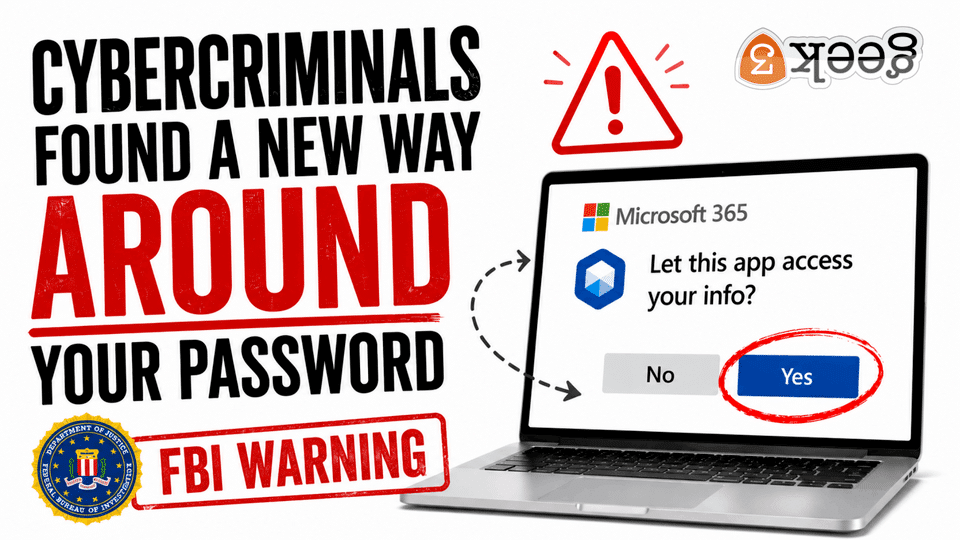
Then another screen appears.
This application would like permission to access certain information.
Allow?
Nothing about that seems suspicious.
You’ve probably clicked Allow dozens of times before.
That’s exactly what attackers are counting on.
AI made this much worse
Not that long ago, phishing emails were almost funny.
Terrible grammar.
Broken English.
Random capital letters.
Logos stretched beyond recognition.
They were easy to spot.
Those days are disappearing quickly.
Artificial intelligence has become a copywriter for cybercriminals.
Today’s phishing emails sound professional.
They use proper grammar.
They reference real companies.
Some even match your company’s writing style.
Others reference recent meetings, projects, or coworkers.
We’ve reached the point where many phishing emails look better than legitimate marketing emails.
That’s a scary thought.
Because the weakest part of any security system has never been technology.
It’s human nature.
We’re busy.
We’re distracted.
We have fifty unread emails.
Someone’s waiting for an answer.
The phone is ringing.
A Teams message just popped up.
When Microsoft asks if we want to approve something…
Most of us click before we think.
Passwords still matter
Whenever I write articles like this, someone inevitably says…
“So passwords don’t matter anymore?”
Not at all.
Strong passwords remain critical.
Multi-factor authentication remains critical.
Password managers remain critical.
These protections stop an enormous number of attacks every single day.
What’s changing is the way criminals approach the problem.
Imagine a bank vault.
For years, thieves tried blowing the vault door open.
Banks built stronger vaults.
Added cameras.
Installed alarms.
Eventually breaking through the vault became too difficult.
So what did criminals do?
They started tricking employees into opening the vault themselves.
That’s where cybersecurity is today.
The psychology behind these attacks
One thing I’ve learned after years working in IT is that hackers don’t spend all day attacking computers.
They spend an awful lot of time studying people.
People trust Microsoft.
People trust familiar login screens.
People don’t read permission prompts.
People click quickly when they’re busy.
People assume someone else already verified the request.
That’s the vulnerability.
Not Windows.
Not Microsoft 365.
Us.
It’s uncomfortable to admit, but understanding that makes you much harder to fool.
So what should you actually do?
Thankfully, this isn’t one of those situations where the solution requires buying expensive software.
Most of it comes down to slowing down.
If you receive an unexpected email asking you to access a document…
Pause.
If Microsoft suddenly asks whether an application should access your account…
Pause.
Ask yourself a few simple questions.
Was I expecting this?
Who sent it?
Do I recognize the application?
Why does it need these permissions?
Could I verify this another way?
Five seconds of skepticism can prevent days of cleanup.
What businesses should be doing
Individual users can only do so much.
Businesses need additional safeguards.
For example, organizations should review which third-party applications are allowed to connect to Microsoft 365.
Many companies are surprised to discover dozens, sometimes hundreds, of applications have access to employee accounts.
Some were installed years ago.
Some are no longer used.
Some were approved by employees without anyone in IT ever knowing.
Those permissions deserve regular review.
Businesses should also:
- Require multi-factor authentication for every account.
- Restrict users from approving unknown applications whenever practical.
- Monitor unusual sign-in activity.
- Provide ongoing security awareness training.
- Review Microsoft’s security recommendations regularly instead of relying on default settings.
Cybersecurity isn’t something you configure once and forget.
The threats evolve.
Your defenses have to evolve with them.
This isn’t Microsoft’s fault
Whenever stories like this make the news, someone inevitably says…
“Microsoft needs to fix this.”
To be fair, Microsoft has added numerous protections over the years.
Administrators can restrict application consent.
Risky sign-ins can trigger additional verification.
Suspicious behavior can be detected automatically.
Conditional Access policies can dramatically reduce risk.
The challenge is that many businesses either don’t know these features exist or never configure them.
Buying Microsoft 365 is a little like buying a new pickup truck.
Just because it has four-wheel drive doesn’t mean it’s turned on.
Many of the tools are already there.
Someone simply has to configure them properly.
Cybersecurity is changing
The biggest takeaway from all of this isn’t really about Microsoft.
It’s about how cybercrime is evolving.
Attackers are becoming less interested in fighting technology.
They’re becoming more interested in influencing people.
That’s a much cheaper strategy.
Why spend hours trying to crack a password when someone might willingly click Allow in under three seconds?
That’s why awareness matters so much today.
It’s also why I believe cybersecurity is becoming less about installing software and more about building good habits.
Technology will continue to improve.
Artificial intelligence will continue making phishing emails more convincing.
Attackers will continue finding new ways to exploit trust.
The only constant is change.
Final thoughts
If there’s one thing I’d like you to remember from this article, it’s this:
Just because you’re looking at a legitimate Microsoft login screen doesn’t automatically mean the request is legitimate.
Sometimes the danger isn’t typing your password.
Sometimes it’s what happens immediately afterward.
That little Allow button might seem harmless.
In the wrong situation, it can open the door just as effectively as giving away your password.
Cybersecurity has always been a game of adaptation.
Attackers change.
Defenders change.
The technology changes.
The goal stays the same: keep your business secure.
If your business relies on Microsoft 365 and you’re not sure whether it’s configured to protect against today’s evolving threats, I’d be happy to help. My team works with businesses every day to secure Microsoft 365 environments, reduce risk, and stay ahead of the latest scams before they become costly problems.
If you’d like to talk about strengthening your company’s cybersecurity, send me a message. I’d love to help.
