
When most people hear the word “cybersecurity,” they picture hackers sitting in a dark room halfway across the world trying to break into bank accounts, steal passwords, or launch ransomware attacks.
And to be fair, that’s not entirely wrong.
Cybersecurity professionals spend a lot of time defending against threats that come from the internet. Phishing emails, malware, account compromises, data breaches, and all the other exciting ways criminals try to ruin everyone’s day.
But cybersecurity isn’t really about hackers.
At its core, cybersecurity is about controlling access to information.
Who can see it.
Who can change it.
Who can use it.
And sometimes the threat isn’t on the other side of the planet.
Sometimes it’s standing right in front of you.
Which brings me to a feature that has been built into modern smartphones for years that many people don’t even know exists.
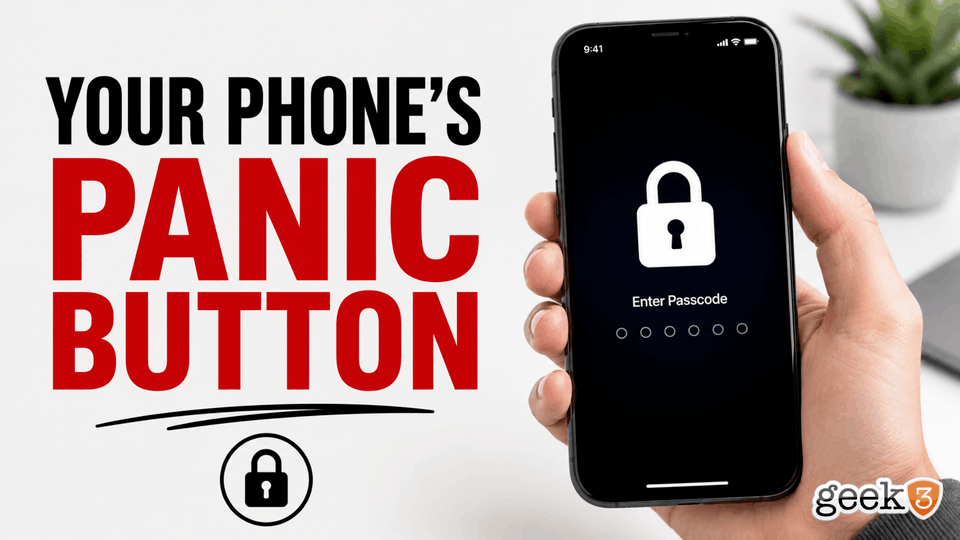
Your phone has a panic button.
Nope, it doesn’t call Batman.
It doesn’t launch missiles.
It doesn’t trigger a secret self-destruct sequence.
What it does do is instantly disable biometric authentication and require your passcode before anyone can access your device.
And once you know it’s there, you’ll probably wonder why nobody ever talks about it.
The Feature Hidden in Plain Sight
On iPhones, simply press and hold the Side Button and Volume Up button for a few seconds.
You’ll see the familiar emergency screen appear with options for Medical ID, Emergency SOS, and Power Off.
Most people assume that’s all it does.
But something important just happened behind the scenes.
Face ID and Touch ID have now been disabled.
The next person who wants access to that phone will need the passcode.
Not a face.
Not a fingerprint.
The passcode.
Many Android devices offer something similar through a feature commonly called Lockdown Mode. Depending on the manufacturer and version of Android, the process may be slightly different, but the goal is the same.
Temporarily disable biometric authentication and require a PIN, pattern, or password before access is granted.
It’s one of those features that’s been quietly sitting there for years while most people had no idea it existed.
Convenience vs Security
To understand why this matters, it’s important to understand the difference between convenience and security.
People often assume Face ID and fingerprint readers are the most secure way to unlock a phone.
That’s not always true.
They’re certainly convenient.
In fact, convenience is the entire reason they exist.
Think of biometric authentication like the automatic doors at a grocery store.
You walk up.
The doors open.
You don’t have to think about it.
You don’t have to do anything.
Everything just works.
Your passcode, on the other hand, is more like a deadbolt.
It’s not as convenient.
You have to stop.
You have to think.
You have to enter it manually.
But when security becomes more important than convenience, the deadbolt starts looking pretty attractive.
That’s what this feature is really about.
It’s not replacing Face ID.
It’s giving you the ability to temporarily choose security over convenience.
The Digital Life We Carry Around
One of the strange things about modern life is that we carry an incredible amount of information around in our pockets every day.
Think about everything that’s on your phone.
Photos.
Text messages.
Emails.
Banking apps.
Credit cards.
Password managers.
Medical information.
Work documents.
Private conversations.
Social media accounts.
Family photos.
Business contacts.
Two-factor authentication codes.
Shopping accounts.
Travel information.
Depending on how you use your phone, it may contain access to a significant portion of your entire life.
Years ago, losing a wallet was a major problem.
Today, many people would rather lose their wallet than their smartphone.
That’s because your phone has become the master key to nearly everything else.
Which is why understanding how to secure it matters.
Traveling
One of the most obvious examples is travel.
Airports are chaotic.
Hotels are busy.
Conferences are crowded.
Events are distracting.
People are rushing from one place to another.
Phones get left on tables.
Phones get forgotten in charging stations.
Phones get misplaced.
Phones get stolen.
Most thefts happen because someone sees an opportunity.
A phone sitting unattended for thirty seconds is sometimes all it takes.
If your phone disappears, requiring a passcode creates an additional layer of protection.
It’s not magic.
It doesn’t make the phone impossible to access.
But it does make life significantly harder for someone who shouldn’t have it.
And cybersecurity is often about making things harder for the bad guys.
Kids Are Tiny Security Auditors
Then there are children.
Parents already know where this is going.
At some point, every parent has handed their phone to a child with complete confidence.
“Sure, buddy. Watch this video for a few minutes.”
What could possibly go wrong?
Twenty minutes later you’ve somehow accumulated:
- Forty-three blurry photos of the ceiling
- Seven screenshots of absolutely nothing
- A new lock screen picture featuring somebody’s nostril
- Three random app downloads
- A grocery cart full of things you definitely didn’t order
Children possess a level of determination that cybersecurity professionals can only dream of.
They don’t stop.
They don’t quit.
They don’t respect boundaries.
If there’s a button that shouldn’t be pressed, they will find it.
If there’s a setting that shouldn’t be changed, they will discover it.
If there’s a way to accidentally spend money, they’ll uncover it faster than most penetration testers.
Temporarily requiring a passcode can sometimes be the difference between a peaceful afternoon and spending the evening trying to figure out why your phone is now speaking Swedish.
Borrowed Phones
Here’s another scenario.
Someone asks to borrow your phone.
Maybe they need to make a call.
Maybe they want to look something up.
Maybe they’re trying to find a photo.
Most of us have experienced that brief moment of uncertainty.
You hand over the phone.
Then immediately remember something you’d rather keep private.
Not necessarily anything scandalous.
Just private.
Maybe it’s work information.
Maybe it’s personal conversations.
Maybe it’s financial information.
Maybe it’s the 37 browser tabs you’ve been meaning to close for six months.
The point is that your phone contains a lot more than whatever task someone is asking to perform.
Knowing how to quickly lock things down can be useful.
Law Enforcement and Legal Situations
Another commonly discussed example involves law enforcement encounters.
Now before anybody starts typing an angry comment, let’s be clear.
This isn’t a political discussion.
It’s a technology discussion.
The reality is that courts have often treated passcodes differently than biometric authentication.
A passcode exists in your mind.
A fingerprint or face scan is a physical characteristic.
Because of that distinction, legal protections surrounding passcodes and biometrics have sometimes been treated differently depending on the jurisdiction and circumstances involved.
Laws continue to evolve.
Court rulings continue to evolve.
And I’m certainly not an attorney.
But the existence of these discussions is one reason many security professionals recommend knowing how to temporarily disable biometric authentication when desired.
Again, the point isn’t politics.
The point is control.
Your information belongs to you.
Understanding the tools available to protect it is simply good practice.
Why Most People Never Learn This
What fascinates me most about this feature is how few people know about it.
Smartphones have become one of the most important devices we own.
Many people spend over a thousand dollars on them.
They use them every single day.
They rely on them for work.
They rely on them for communication.
They rely on them for entertainment.
They rely on them for navigation.
They rely on them for finances.
And yet most people have never explored some of the basic security features built directly into the device.
That’s not because people are careless.
Technology has become incredibly complex.
Modern phones do thousands of things.
Most people learn just enough to accomplish their daily tasks and never dig deeper.
Which is completely understandable.
Nobody has time to become an expert on every piece of technology they own.
That’s one reason I enjoy sharing tips like this.
They’re practical.
They’re useful.
And they’re things people can immediately put into practice.
This Week’s Tech Homework
So here’s your homework assignment.
Take out your phone.
Right now.
Go ahead.
I’ll wait.
Press and hold the Side Button and Volume Up button until the emergency screen appears.
Now cancel out.
Try using Face ID again.
You’ll notice something interesting.
Your phone now requires the passcode.
Ta-da.
You just learned about your phone’s panic button.
A feature that has probably been sitting in your pocket for years without you knowing it existed.
Will you use it every day?
Probably not.
Will you hopefully never find yourself in a situation where you need it?
Absolutely.
But if that situation ever arrives, you’ll know it’s there.
And sometimes that’s what cybersecurity is all about.
Not buying another product.
Not installing another app.
Not spending more money.
Just understanding the technology you already own.
Cybersecurity isn’t just about protecting your business from hackers. It’s about protecting your information wherever it lives.
If you need help securing your business, protecting your data, or navigating today’s increasingly complicated technology landscape, we’re here to help.
Until next time, stay safe. Online and off.
